Cataloguing and discovering music with the DOREMUS model
The application has two spaces built on the same knowledge graph: Discover music, to search and explore works, concerts, performers and recordings, and the Music catalogue, to describe them following the DOREMUS ontology. This guide walks through every screen.
Overview
Discover music
Read-only, for the public and for librarians: works, people, questions in plain language answered by Claude, instruments, performance history, scoring, timeline and map, networks of performers, explained recommendations and generated programme notes.Music catalogue
For cataloguers: records of works, events (planned and actual), programming, recordings, post-production, publications, persons and corporate bodies, each one checked against the model's rules (SHACL) before it is saved, with its RDF visible at all times.Both spaces read the same triplestore (Apache Jena Fuseki). It holds a real extract of data.doremus.org — BnF, Philharmonie de Paris and Radio France data — and the records created in the catalogue. The DOREMUS model extends FRBRoo and CIDOC-CRM: a work (F14) is realised by an expression (F22), a concert is a performance (F31), an announced concert is a foreseen performance (M26), and so on (see Model codes).
A record of data.doremus.org is never changed. When you open one in the catalogue to enrich it, the application
copies it into a new catalogue record that points to the original (owl:sameAs, prov:wasDerivedFrom);
from then on Discover shows the enriched record instead of the original.
Getting started
Open the application in a browser at the address of the server (on a local installation:
http://localhost:8000). The start page leads to the two spaces:
- Discover music:
/explore.html - Music catalogue:
/app.html - This guide:
/guide/index.html, also linked from both spaces (« Documentation »).
Each space has a link to the other in its top bar (« ↔ Cataloguing space », « ↔ Discover »). In Discover, the model codes box shows the classes and properties of the model beside each heading (F22, M6 → M23…), for those who want to see how a page is built on the graph.
Languages
The interface is available in French, English and German: use FR · EN · DE at the top right of either space. The
choice is remembered by the browser. A link can also give the language: /explore.html?lang=de.
- Menus, headings, buttons, help texts and messages are translated.
- Concept labels (keys, instruments, genres, functions…) come from the vocabularies in the chosen language (« D Minor », « D Moll »). The IAML vocabularies have no German labels: German shows the English label.
- Programme notes are written by Claude in the interface language, and the chat answers in the language of the question.
- The data stays as the sources give it: work titles (« Symphonies. Ré mineur. No 9 »), names, notes and biographies.
Discover music
The top bar has Home and three menus, by what you want to do: Search (works, concerts and programming, people and ensembles, instruments), Explore (all the text and questions, scoring, timeline and map, networks, recommendation) and Write (text generation). Click a menu to open it: each service says in one line what it does. The menu of the current page is highlighted. Escape or a click elsewhere closes it. On the right: model codes, Documentation, the link to the catalogue and the language switch.
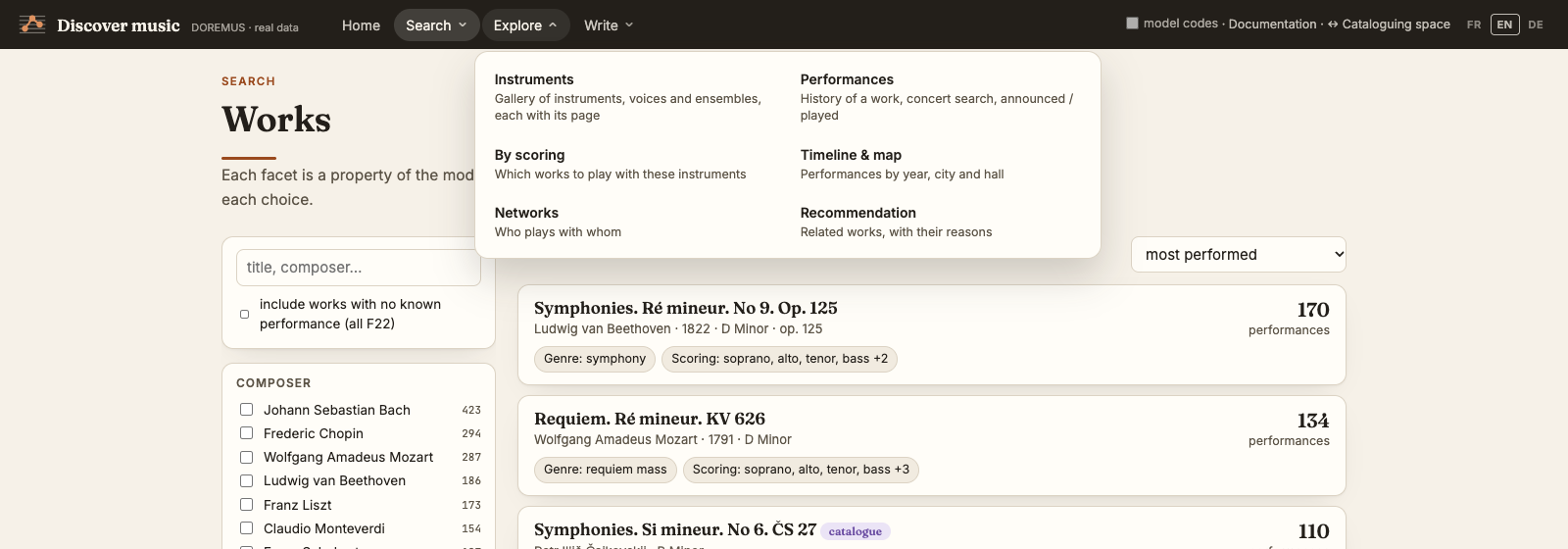
On a phone or a narrow window, the bar keeps only the title and a menu button (☰). It opens the whole menu on the screen — every service with its line, then Documentation, the catalogue and the language switch — and becomes a cross to close it.
Every page title, work, performer or concert is a link; every page has a link to its RDF data.
Home
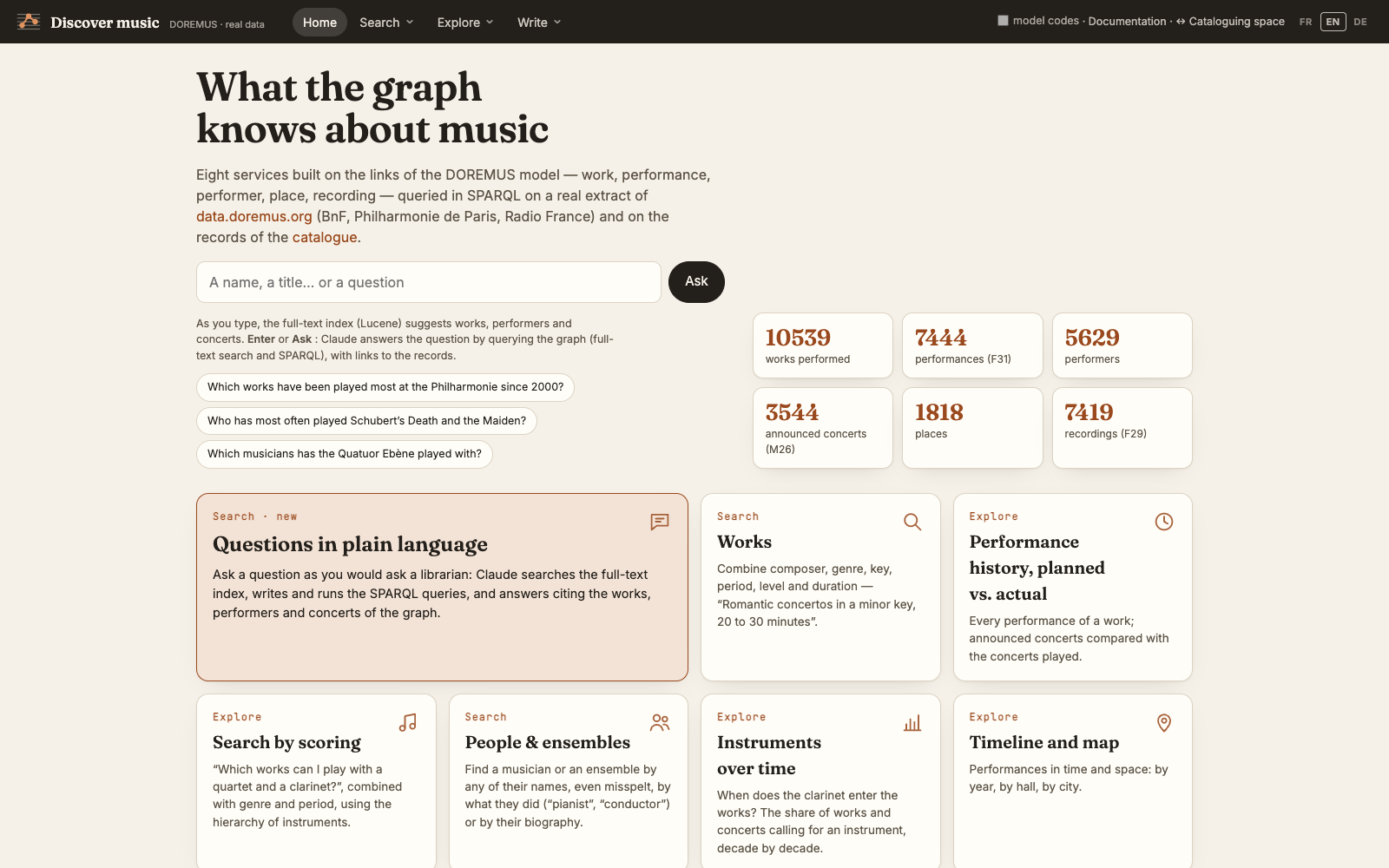
The home page has a single search box: type a name or a title and the full-text index suggests works, performers and concerts as you type; type a question and press Ask to send it to Claude. Below, the figures of the corpus and one card per service.
Works
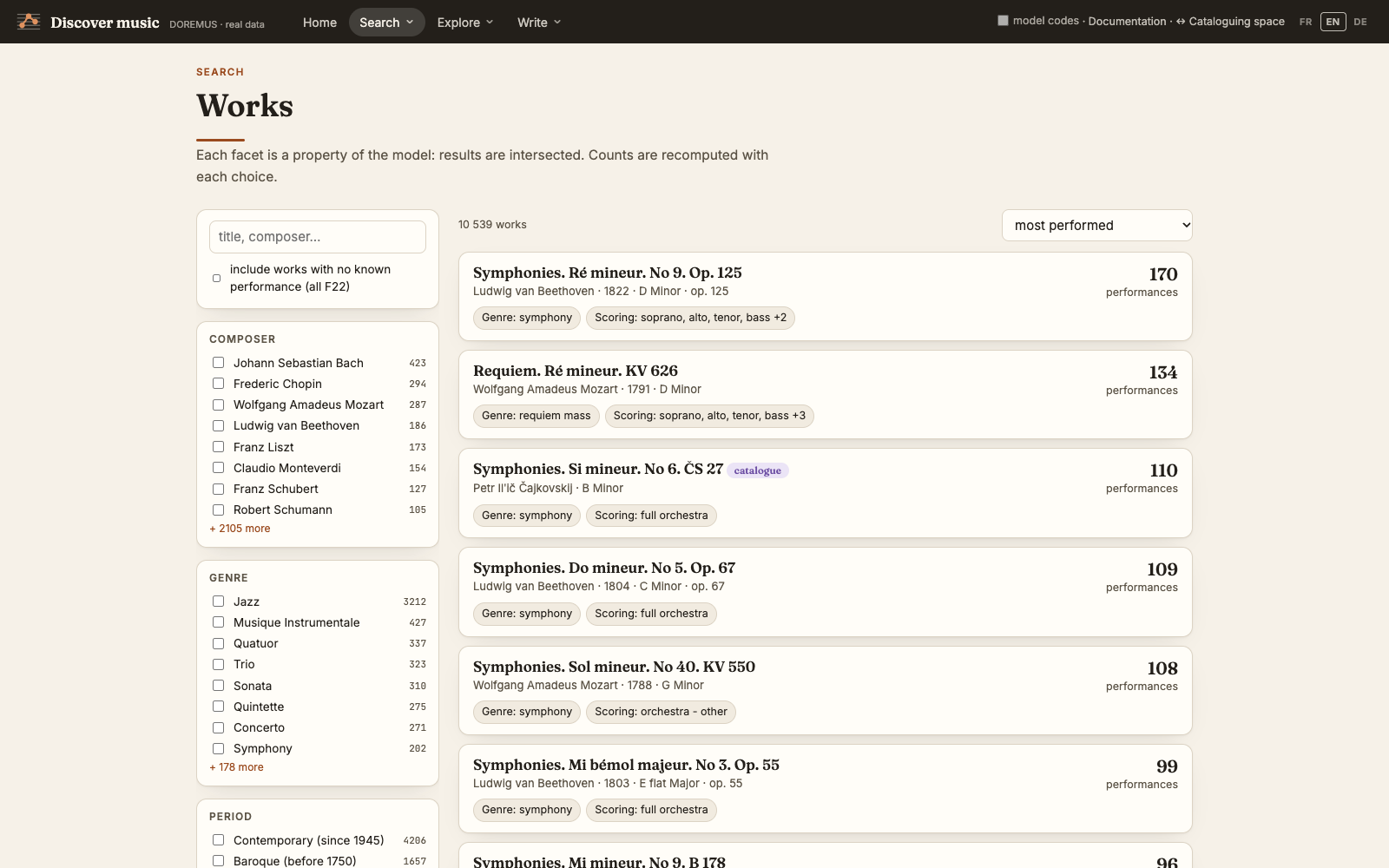
Combine facets that are properties of the model: composer, genre, period, key, instrument family, level and duration. Results are the intersection of the choices, and the counts beside each value are recomputed after every click. Sort by number of performances, creation date, duration or title. By default only works performed in a catalogued concert or recorded are listed; tick include works with no known performance for all expressions (F22). These works may well have been performed: the data simply hold no concert or recording of them.
People & ensembles
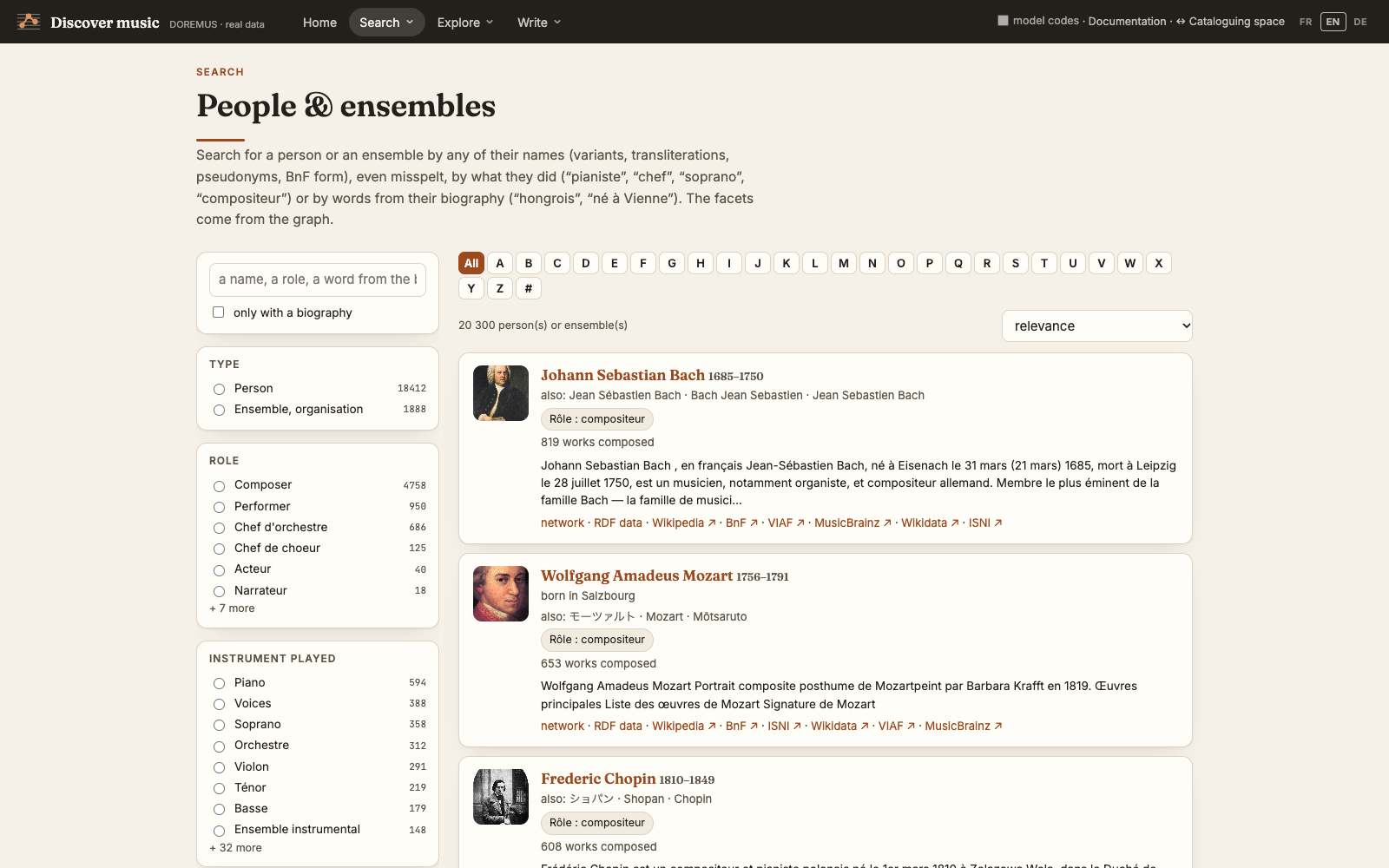
Find a person or an ensemble by any of their names — variants, transliterations, pseudonyms, the BnF form — even misspelt (« bernstien »), by what they did (« pianiste », « chef ») or by words of their biography (« né à Vienne »). Facets: type, role, instrument played, century and place of birth, gender; an A–Z index browses the list by surname. Each row links to the person's network, their RDF data and their Wikipedia page when the alignments found one.
Person page
The name of a person or an ensemble opens its page. At the top, what the graph knows: names, dates, roles and instruments, biography, the works composed (most performed first), recent concerts, frequent partners and the composers performed. Below, one box per external source the person is aligned with — Wikidata, Wikipedia, BnF (data.bnf.fr), MusicBrainz, ISNI, VIAF — with a short summary; Show everything opens the whole record, in sections (Wikidata statements, the full Wikipedia article, the BnF authority record and its links to other authorities, the MusicBrainz discography and relationships, the ISNI name forms and titles). The sources are read live and kept a week; each box gives its licence and the date it was read. VIAF no longer has an open interface: its box only links to viaf.org.
The sources compared puts dates, places and identifiers side by side and marks the disagreements (for example a birth year, or an ISNI that belongs to someone else). When no source is aligned yet, the page offers searches in Wikidata, the BnF catalogue and MusicBrainz.
All the text & questions
One box for two uses. A word or a phrase, then Enter: every text of the database that contains it is listed at once — names and titles, but also biographies, programme and catalogue notes, casts, other title forms, definitions and notes of the vocabularies — with the passage where it was found, highlighted, and the field it is in. Results are grouped by kind (people, works, concerts and announcements, recordings, publications, places, vocabularies, other resources) and can be filtered by kind and by field. Accents and capitals do not matter; all the words must be in the same text; « "création mondiale" » looks for the exact phrase and « dodéca* » for words beginning so. No stemming: « compositeur » does not find « compositeurs » (write « compositeur* »).
A question in plain language, then Ask Claude (or Ctrl+Enter), as you would ask a librarian: « Who has most often
played Schubert's Death and the Maiden? », « Which works were premiered in Darmstadt? ». Claude searches the same texts, writes
and runs SPARQL queries on the graph, and answers with links to the works, performers and concerts it found. The queries it
ran are shown under each answer. Answers rely only on the graph: « no result » means « not in the extract », not « never
happened ». For « what has been written about… » Claude reads the open library catalogues live (tool bibliographie,
see Bibliography) and cites the records with their links; a question that crosses the bibliography with
the graph (« conductors who have a monograph and conducted at Pleyel ») only covers the records kept in the graph, and Claude
says so. Questions need an Anthropic API key on the server; the search in all the text does not.
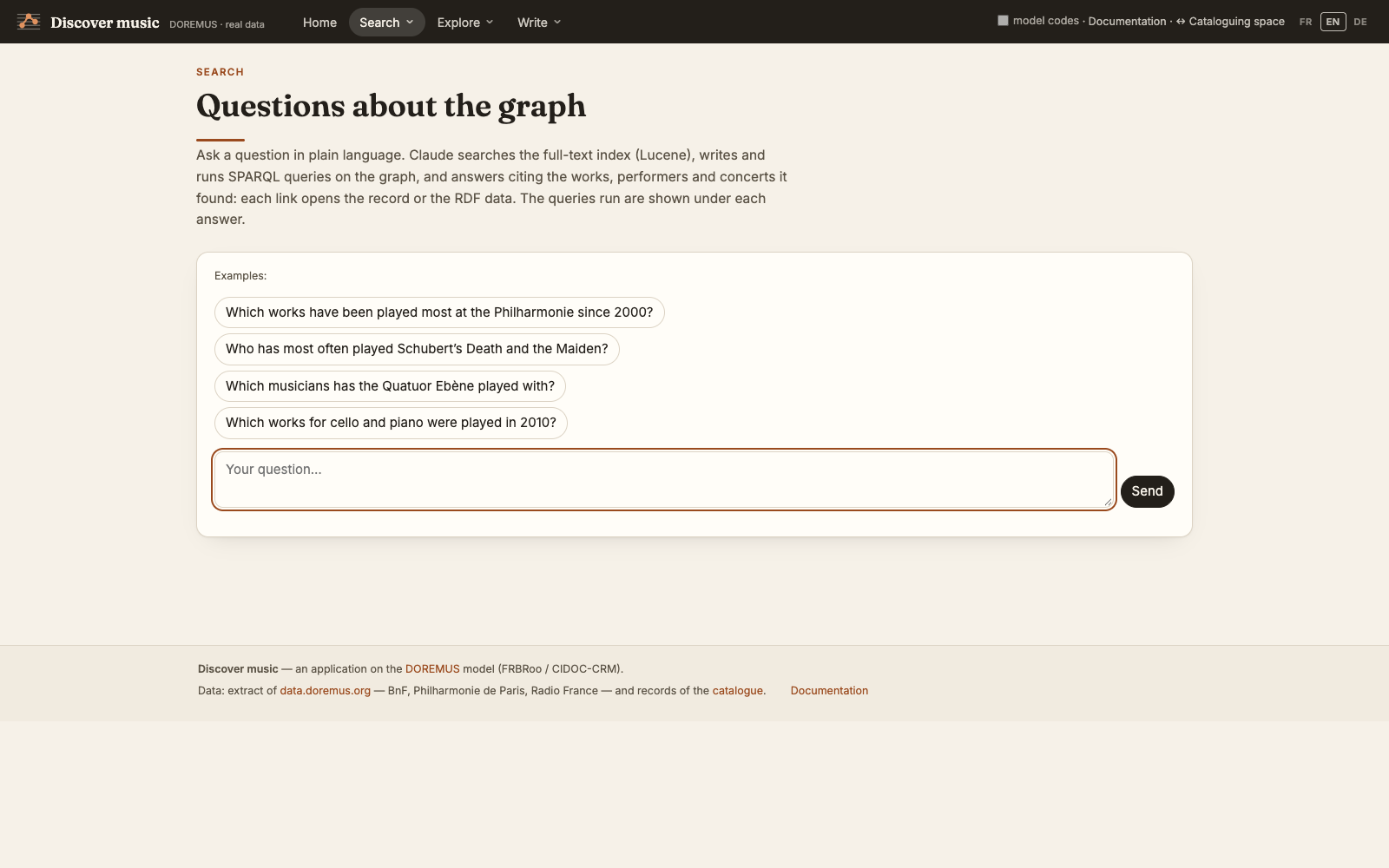
Work page
The page of a work gathers what the graph knows: composer, creation, genre, key, opus, duration and the scoring planned by the composer (M6 → M23); its figures (catalogued performances, published recordings, first and last performance, places, performers) and a chart of performances per year; the full history of its performances; its recordings (tracks and sets of tracks, from the radio, the studio or a recorded concert, with or without a catalogued concert); related works and a button to generate a programme note.
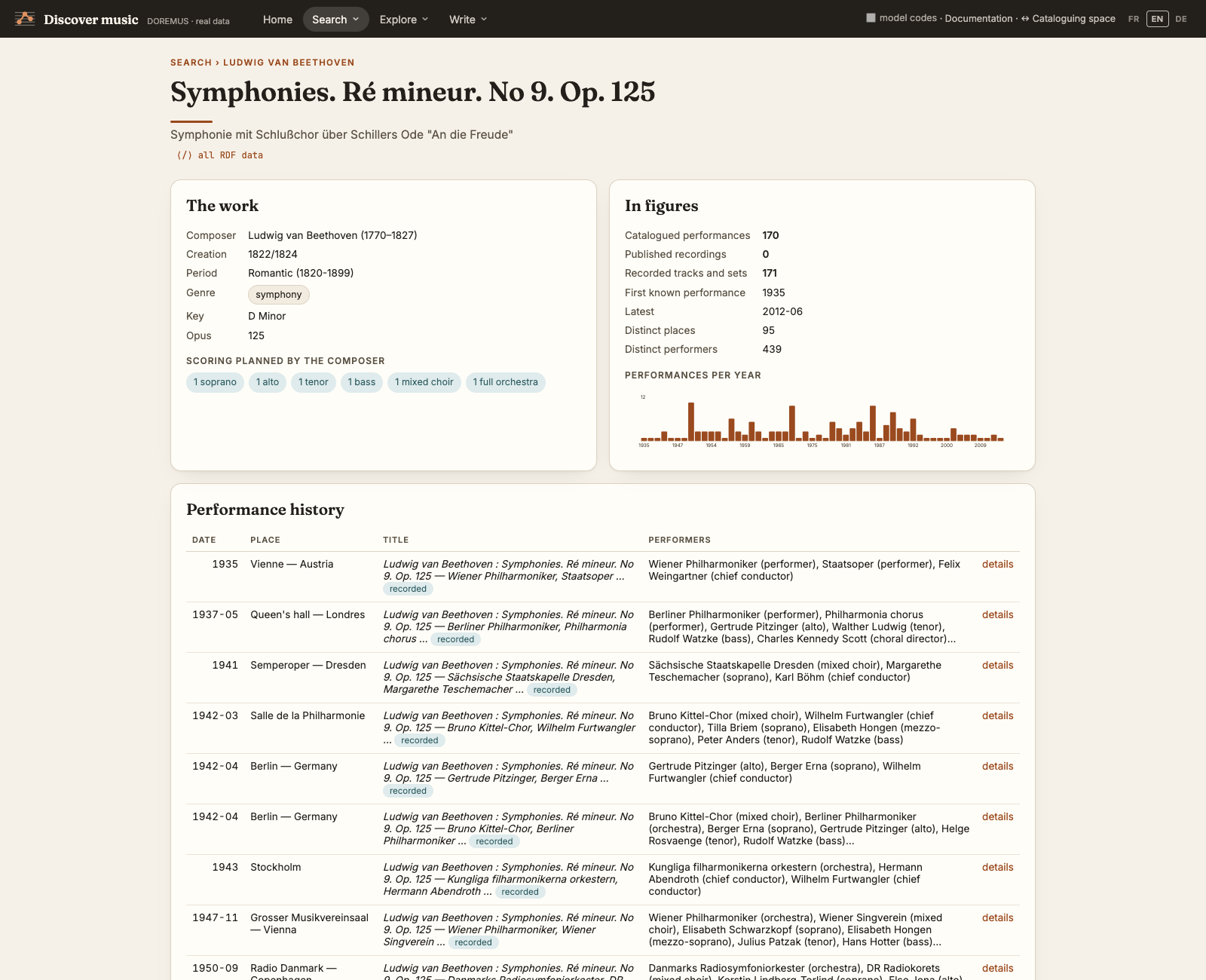
Performance page
A concert (F31): its programme with the performers of each work and their role, the performers of the whole concert, the recording and publication chain when there is one, and — when an announcement (M26) was paired with it — the difference between what was announced and what was played: replacements, additions, removals.
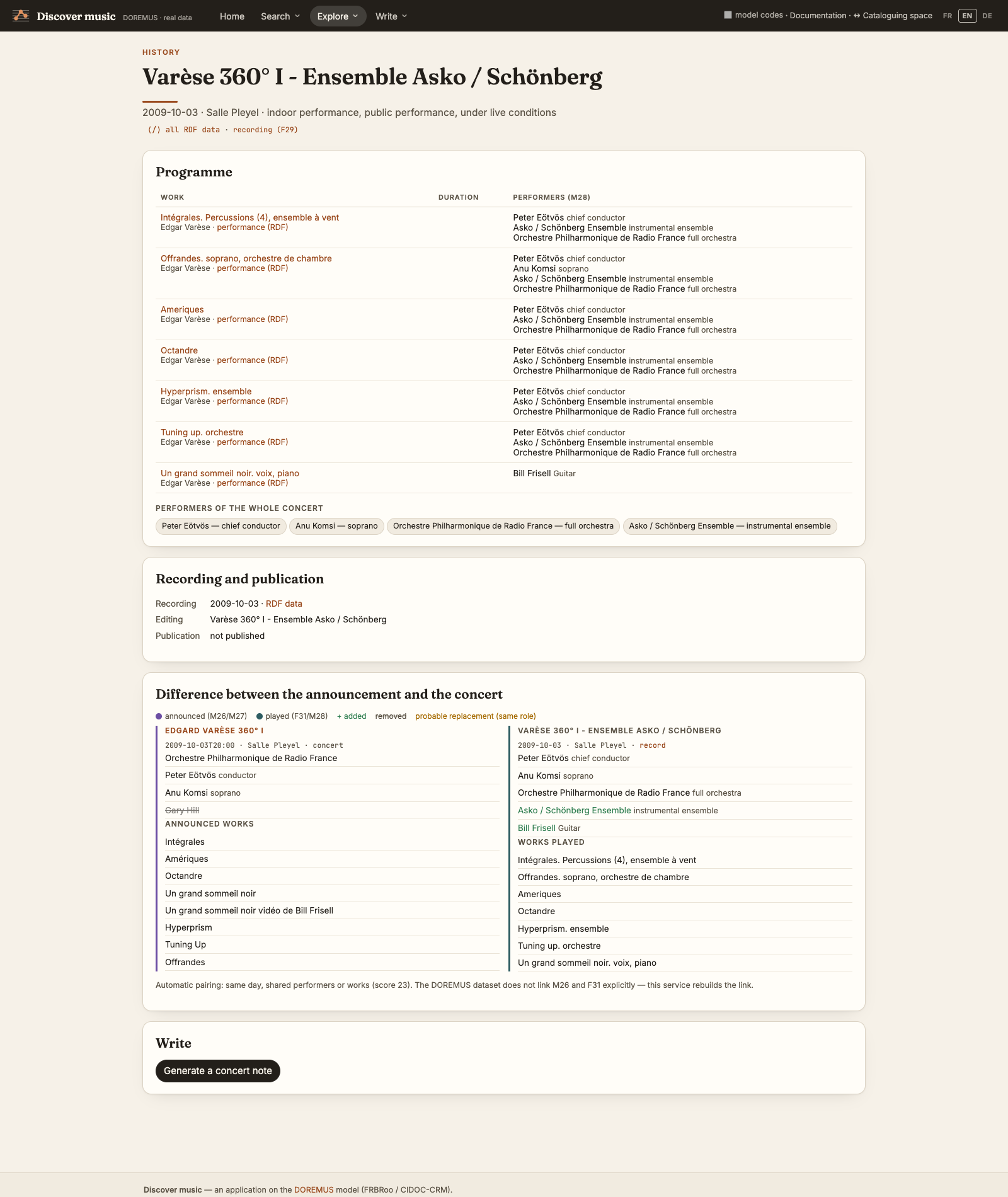
Instruments
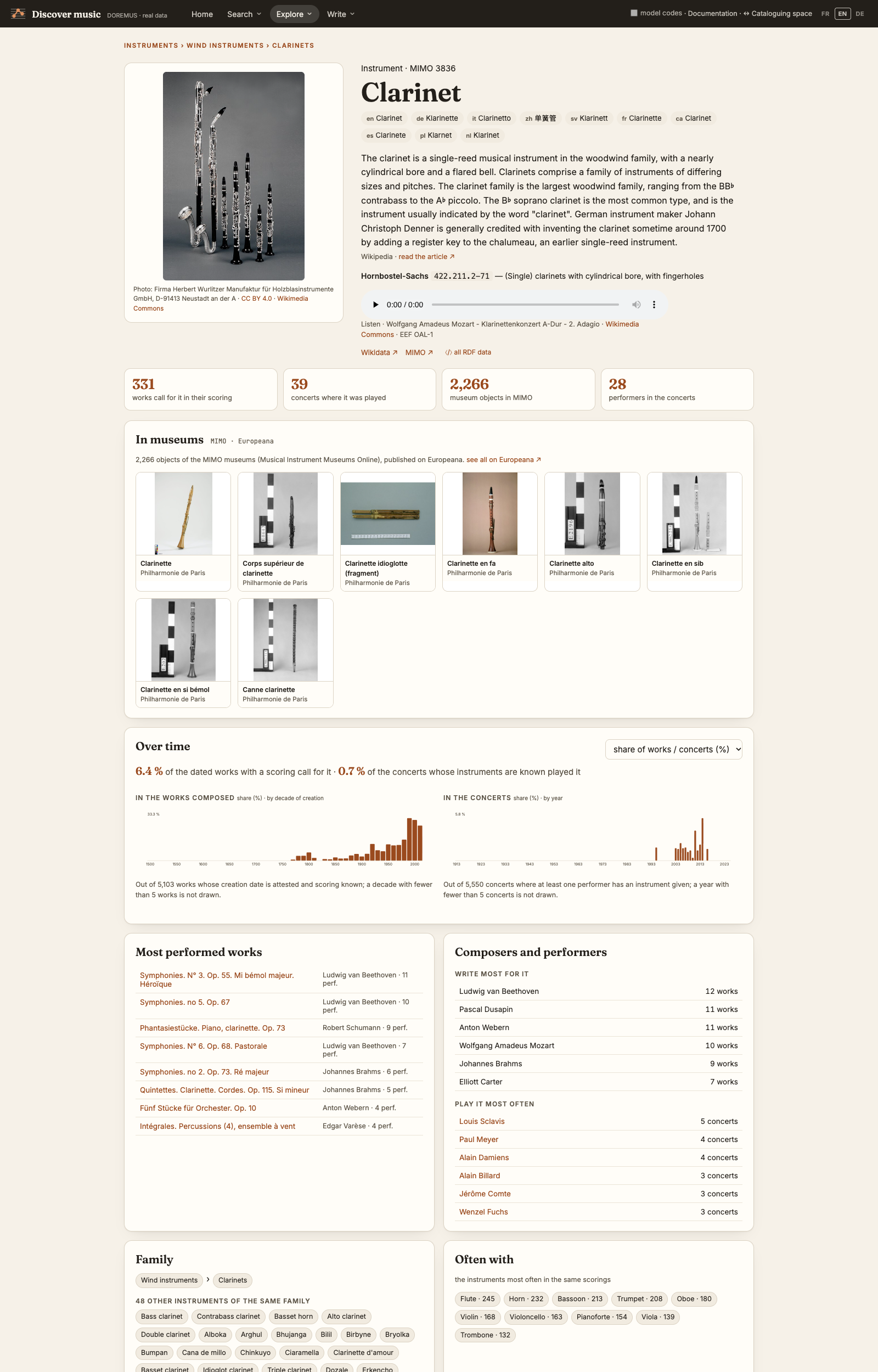
A gallery of the instruments, voices and ensembles of the works and concerts, the most used first, with a picture from Wikimedia Commons when there is one. Filter by family (strings, winds, keyboards, percussion, voices, ensembles) or search by name. Each tile opens the page of the instrument.
The page of an instrument brings together what the graph and the web know about it:
- Identity: its picture (author and licence from Commons), its names in every language of MIMO, its family as a path (Instruments › Wind instruments › Clarinets), the Wikipedia introduction in the interface language, its Hornbostel-Sachs class, and a recording to listen to when Commons has one.
- In museums: instruments kept in the museums of MIMO (Musical Instrument Museums Online), published on Europeana — each opens its Europeana record.
- Over time: how many works call for it, by decade of composition, and how many concerts it was played in, by year — as a number or as a share of all works and concerts. A family counts everything below it.
- In the data: how many works call for it and how many concerts it was played in, the most performed works, the composers who write most for it and the performers who play it most.
- Family and neighbours: the other instruments of its family (the 48 clarinets of the world for the clarinet) and the instruments most often found with it in the same scorings.
The instruments of a work's scoring link to their page. To study a whole family (« Clarinets », « Strings »), type its name in the gallery's search: the families are offered above the instruments.
Bibliography
The pages of a work, a person, an ensemble and an instrument have a Bibliography button in their header and a section of the same name at the end (also a tab of the page). It brings the books, theses and articles about it, read live in the open catalogues — the BnF (data.bnf.fr), the French university libraries (IdRef / SUDOC), Wikidata, the Deutsche Nationalbibliothek (by the GND identifier), the Library of Congress (by its name or subject heading) and OpenAlex — the first time in a few seconds, then from a cache kept a week.
- Sources: one line per catalogue, with what it covers, how many records it gave and its state: found, nothing, error (the others are still shown) or degraded mode — a work with no BnF record of its own is searched among the books about its composer whose title contains the work's title.
- Records: author, title (link to the original record), year, publisher or journal, ISBN or DOI, language and the libraries that have it — a book found in several libraries is shown once, with a link to each (same DOI, same ISBN, or same title, year and author). Read online opens the digitised copy or the open-access version when a library gives one: Gallica for the BnF, the DNB's own copy, the Library of Congress, Internet Archive, an open-access article. A filter keeps only these. Filters by type (monographs, theses, articles…), language and period. Records found by an identifier come first; the ones found by name or title are listed apart, to be checked: they may be about someone else.
- Export: BibTeX and RIS, to import into Zotero; links to search RILM Abstracts (by subscription), WorldCat and the BnF catalogue.
- Keep in the graph: tick records and Keep the selection in the graph, or keep the series (number of
records per year). They are written into the graph
urn:g:biblioonly — never into the catalogue records — as documents « about » the entity, with the original record and the date they were read; remove takes one back. Once the series is kept, a chart shows the publications per year above the performances per year of the work or the person. The questions to Claude can then cross the kept bibliography with the rest of the graph.
In the catalogue, the same section is on the work's Bibliography tab and at the end of a person's record, read only.
Claude also answers « what has been written about… » with the tool bibliographie.
Concerts and programming
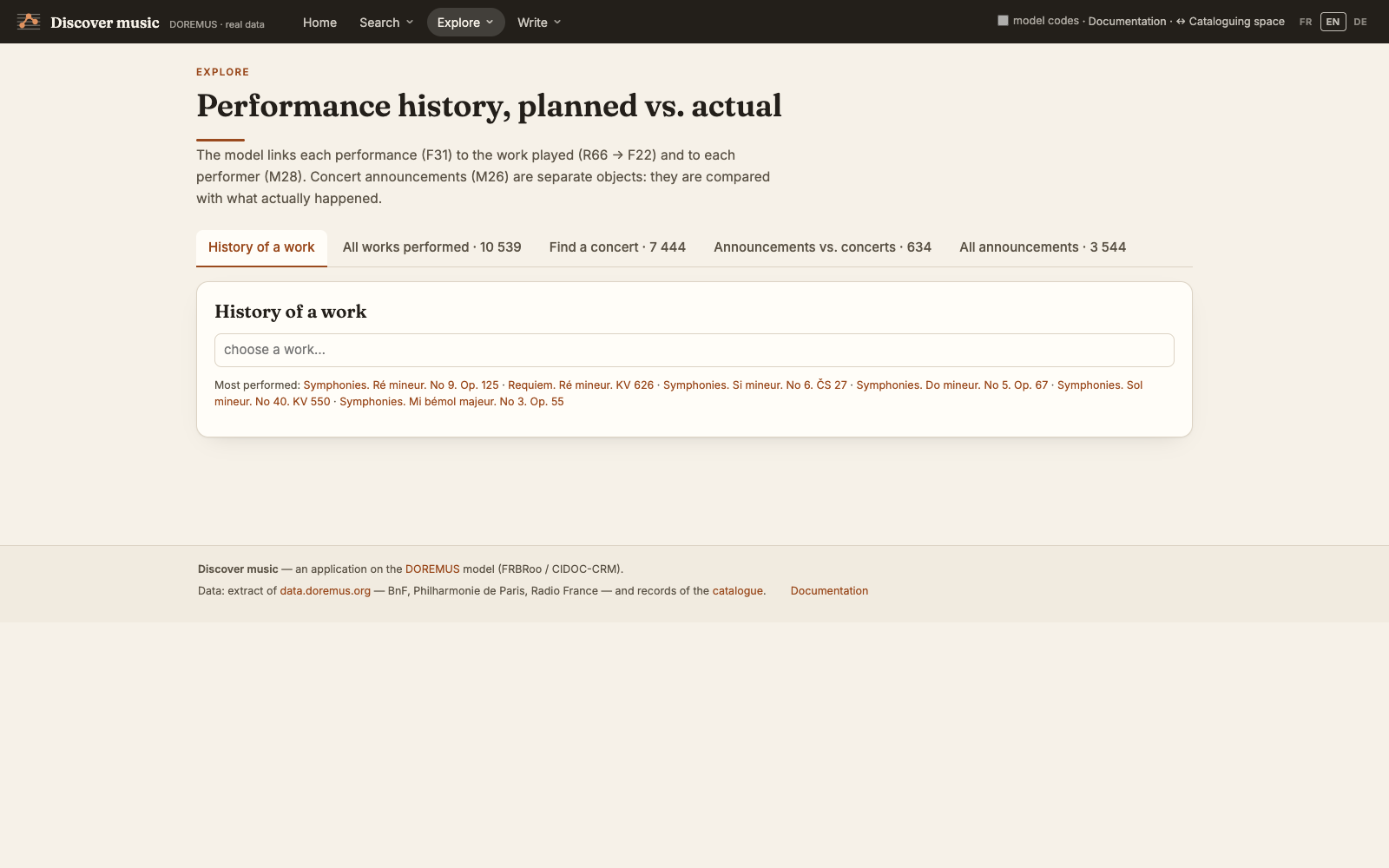
The page is about concerts: the ones that took place (F31), the programming (M26) — past or to come, as programmes and announcements give it, each the result of reading a programme —, the gap between the two, and the venues. Four tabs: Programming — the same search as for the concerts, on what was programmed (works, performers and instruments foreseen, venue, period, words); Concerts — by a work played, a performer present, an instrument, voice or ensemble played (M28 U1; a family such as « strings » finds all its instruments, and the IAML and MIMO concepts of the same name find each other), a venue, a period (since / until a year or a month) and words of the title, venue, city, performers or works, all combined; Programmed / performed: the gap; and Concert venues — every place with its number of concerts, years and programmings, and the concerts held there. The data does not link a programming (M26) to its concert (F31): the application pairs them (same day, then shared performers and works). The performance history of a work is on its work page.
By scoring
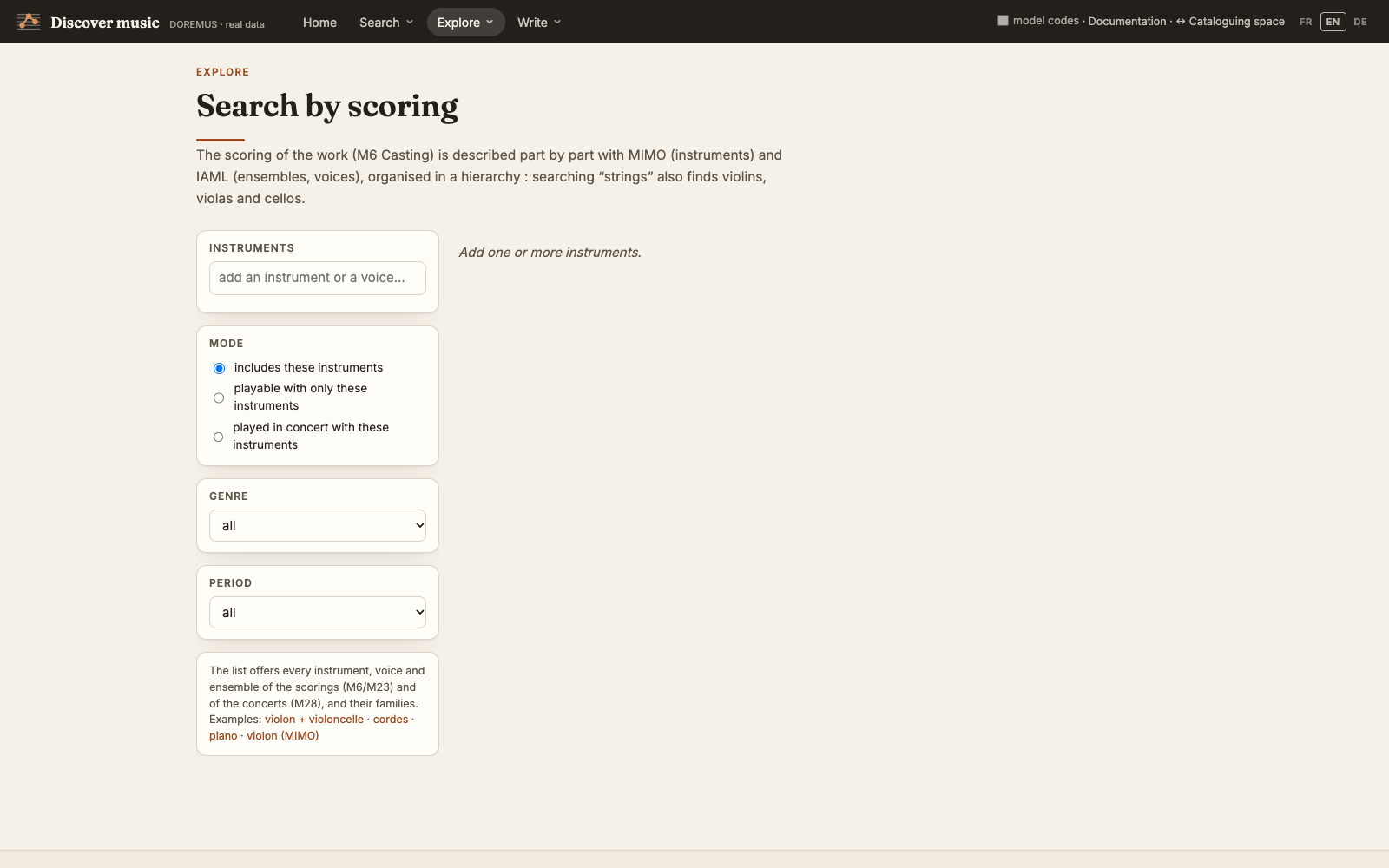
« Which works can I play with a quartet and a clarinet? ». Add instruments, voices or ensembles; choose whether the works must include them, be playable with only them, or have been played in concert with them; narrow by genre and period. The instrument hierarchy is used: « strings » also finds violins, violas and cellos.
Timeline & map
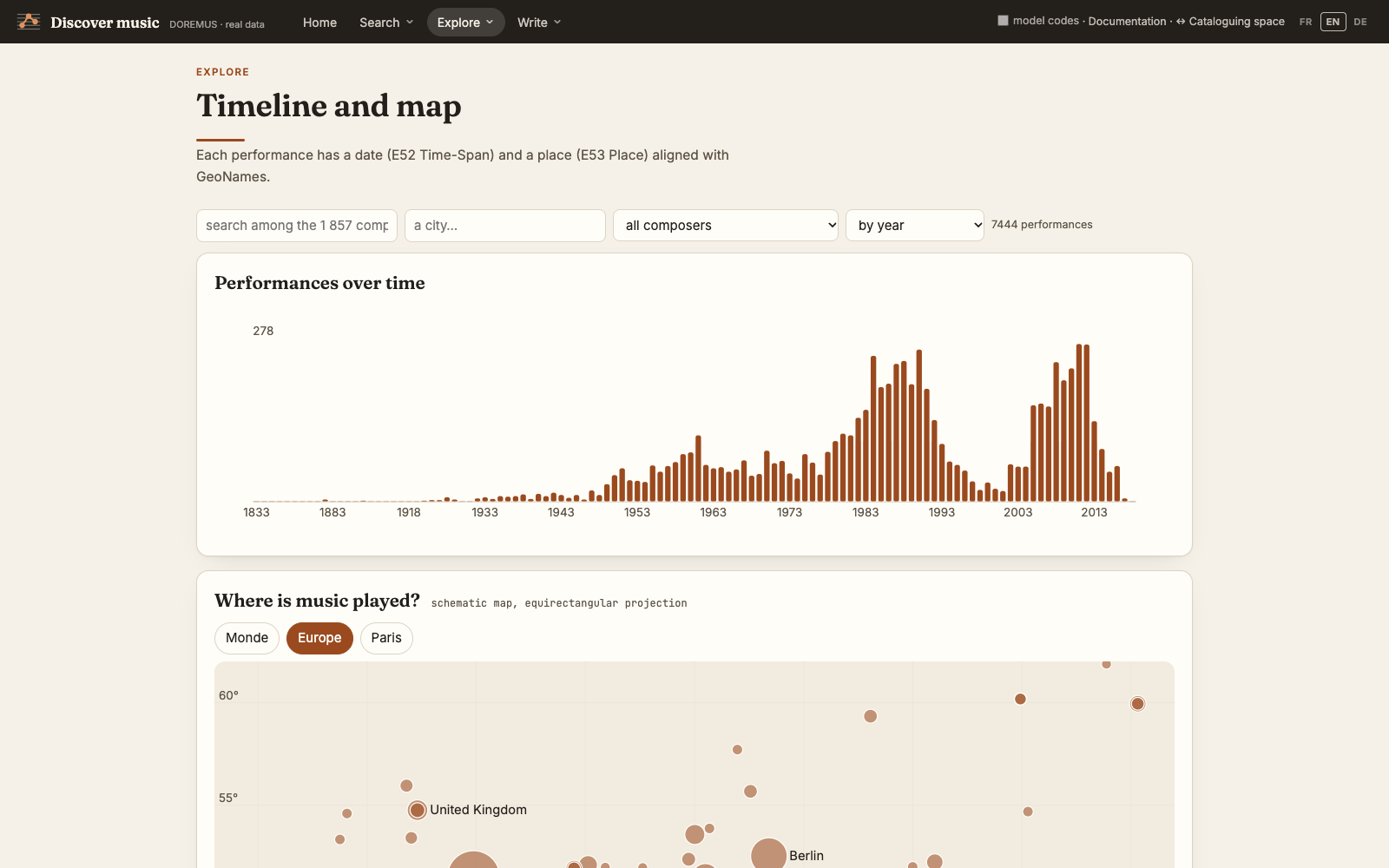
Performances in time and space: a chart by year or by decade, filtered by composer or city; a map of the places (coordinates from GeoNames; the size of a circle is the number of performances); the cities and their halls.
Networks
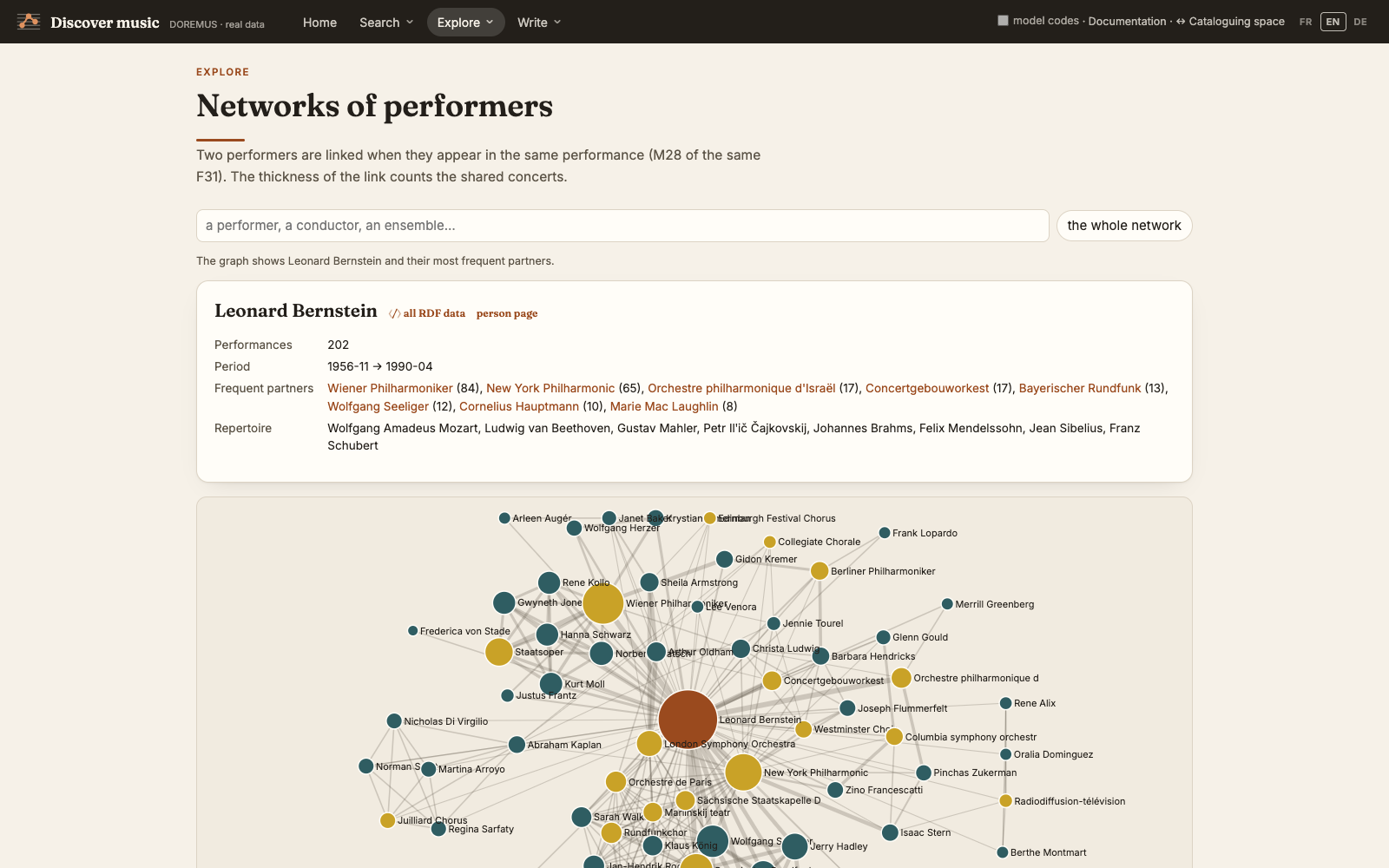
Who plays with whom: two performers are linked when they appear in the same concert, and the thickness of the link counts the concerts they shared. Click a node to centre the network on it; the list below gives every performer with their main roles, period and partners.
Recommendation
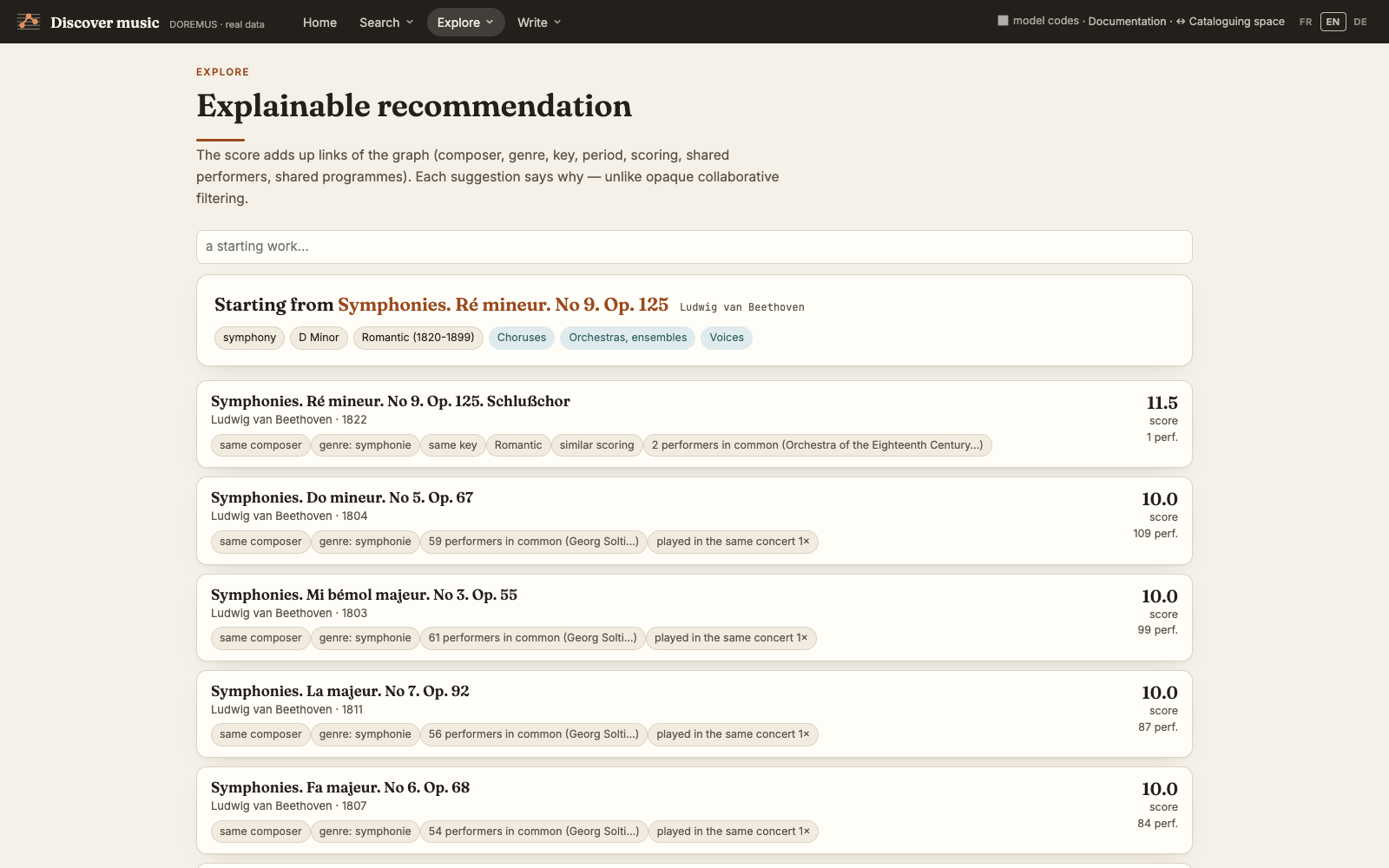
Related works scored on the links of the graph — same composer, genre, key, period, similar scoring, shared performers, played in the same concert — and each suggestion says why.
Text generation
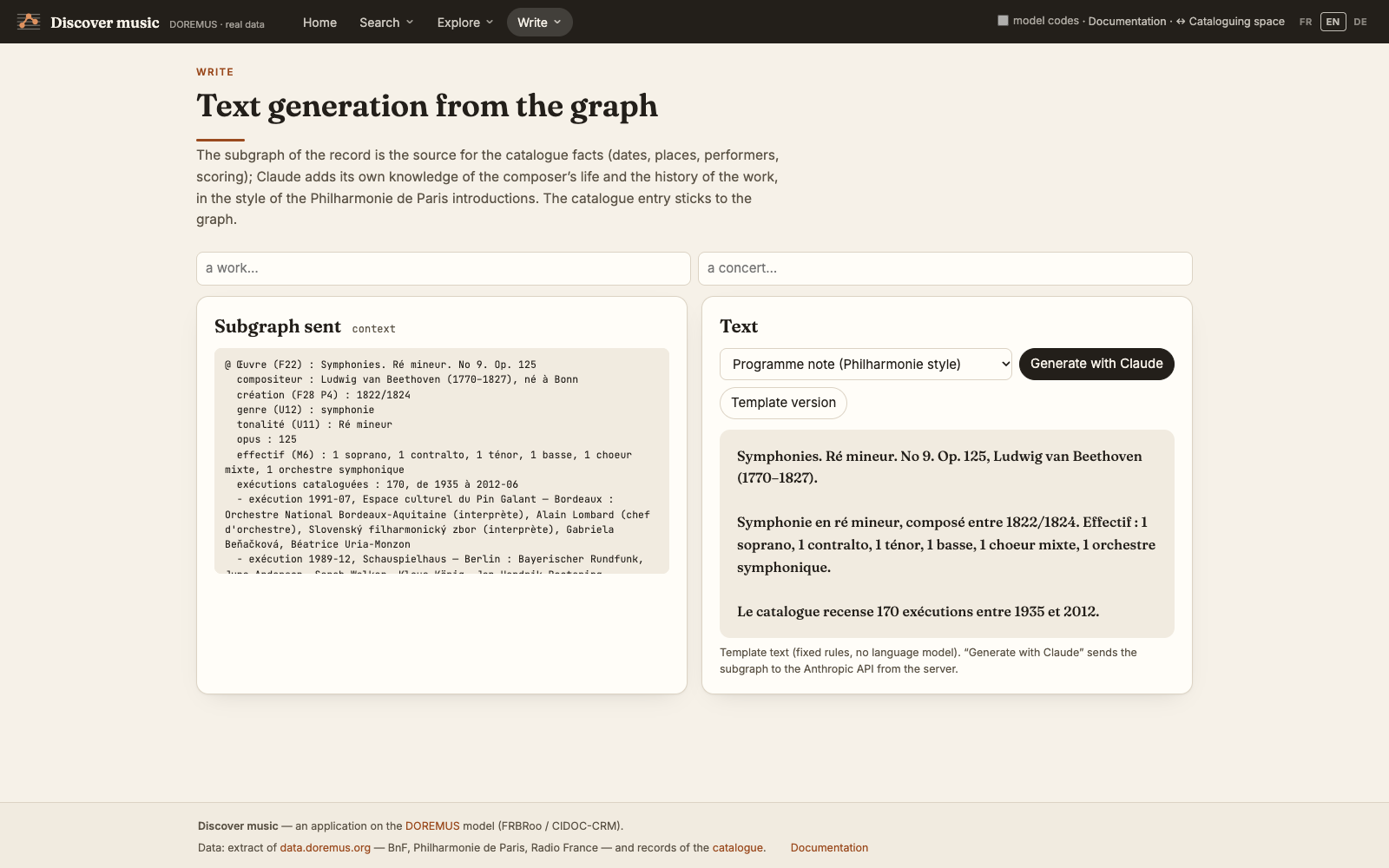
Choose a work or a concert and a style — concert introduction, programme note, catalogue entry, social media post. The subgraph of the record (shown on the page) gives the catalogue facts; for the introduction, the programme note and the post, Claude adds its own knowledge of the composer and the work, in the style of the Philharmonie de Paris presentations. The catalogue entry sticks to the graph. Without an API key, a template text built with fixed rules is shown.
RDF data
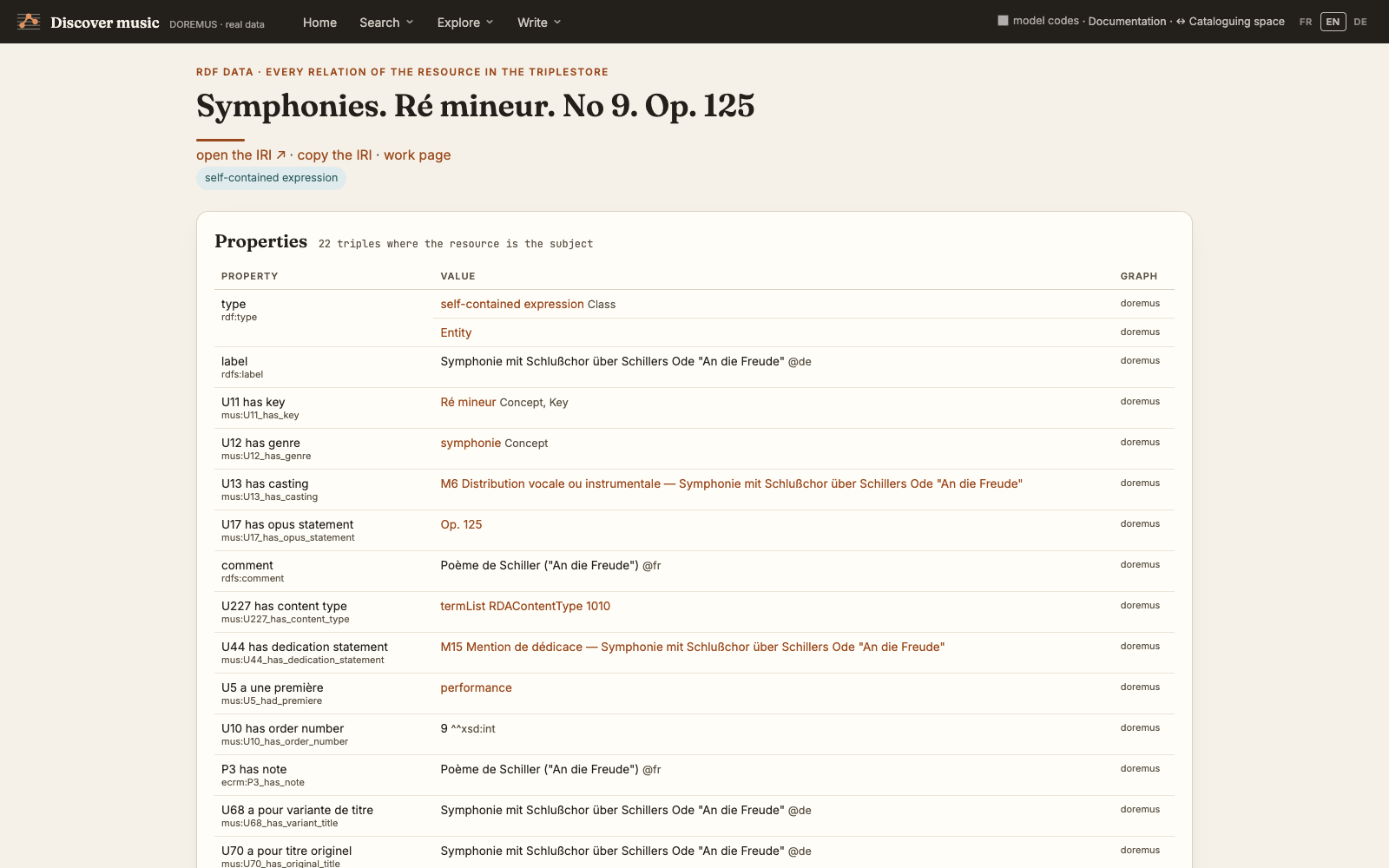
Every resource has a page with all its triples: the properties where it is the subject, the incoming relations where it is the object, and the graph each triple comes from. Each value is a link to its own RDF page.
Music catalogueDescribing music in the catalogue
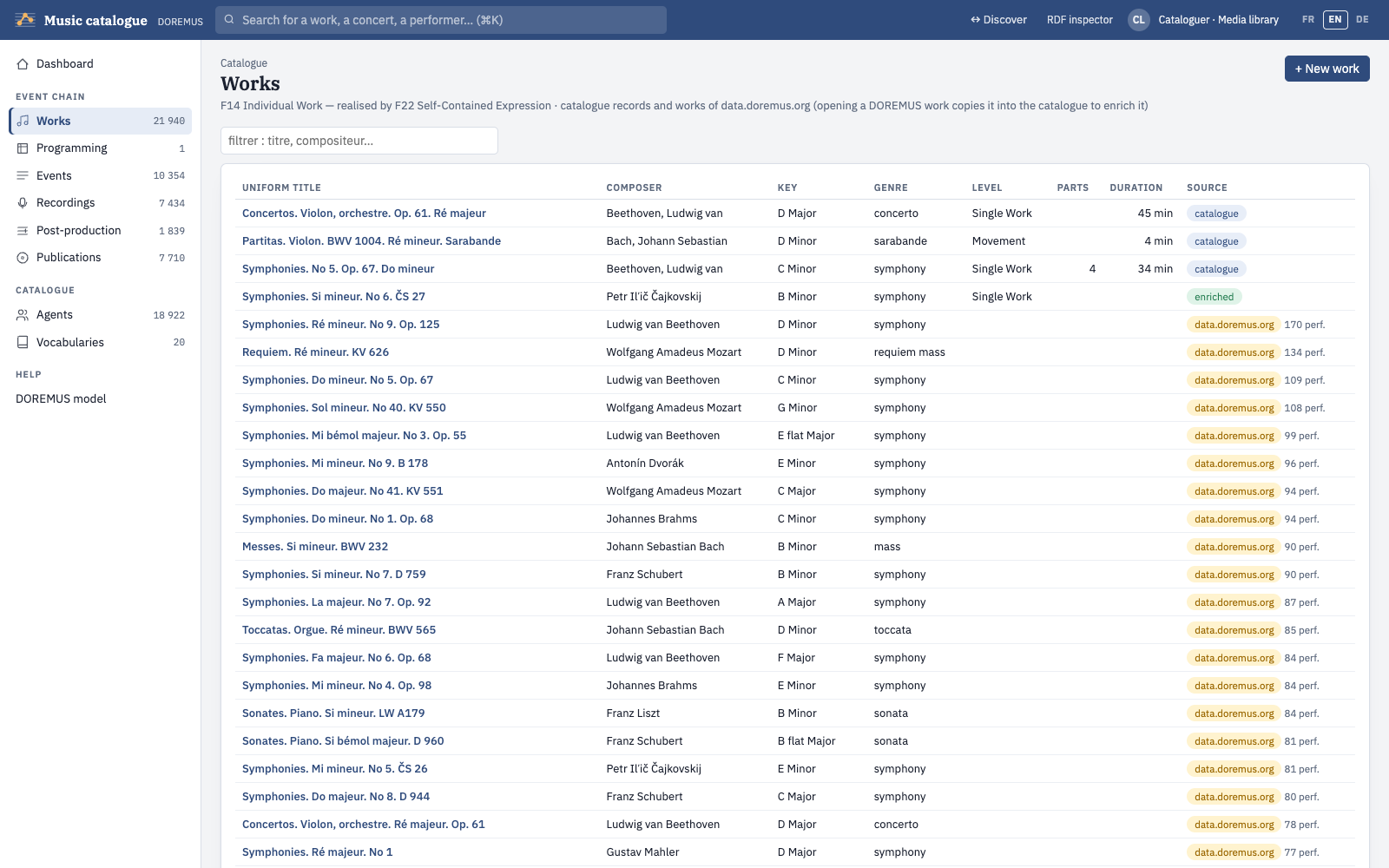
The left menu follows the chain of the musical event — works, programming, events, recordings, post-production, publications — then the agents and the vocabularies. The search box at the top (⌘K) finds a work, a concert or a performer. Each list shows the catalogue records and, below, the resources of data.doremus.org of the same kind.
Dashboard
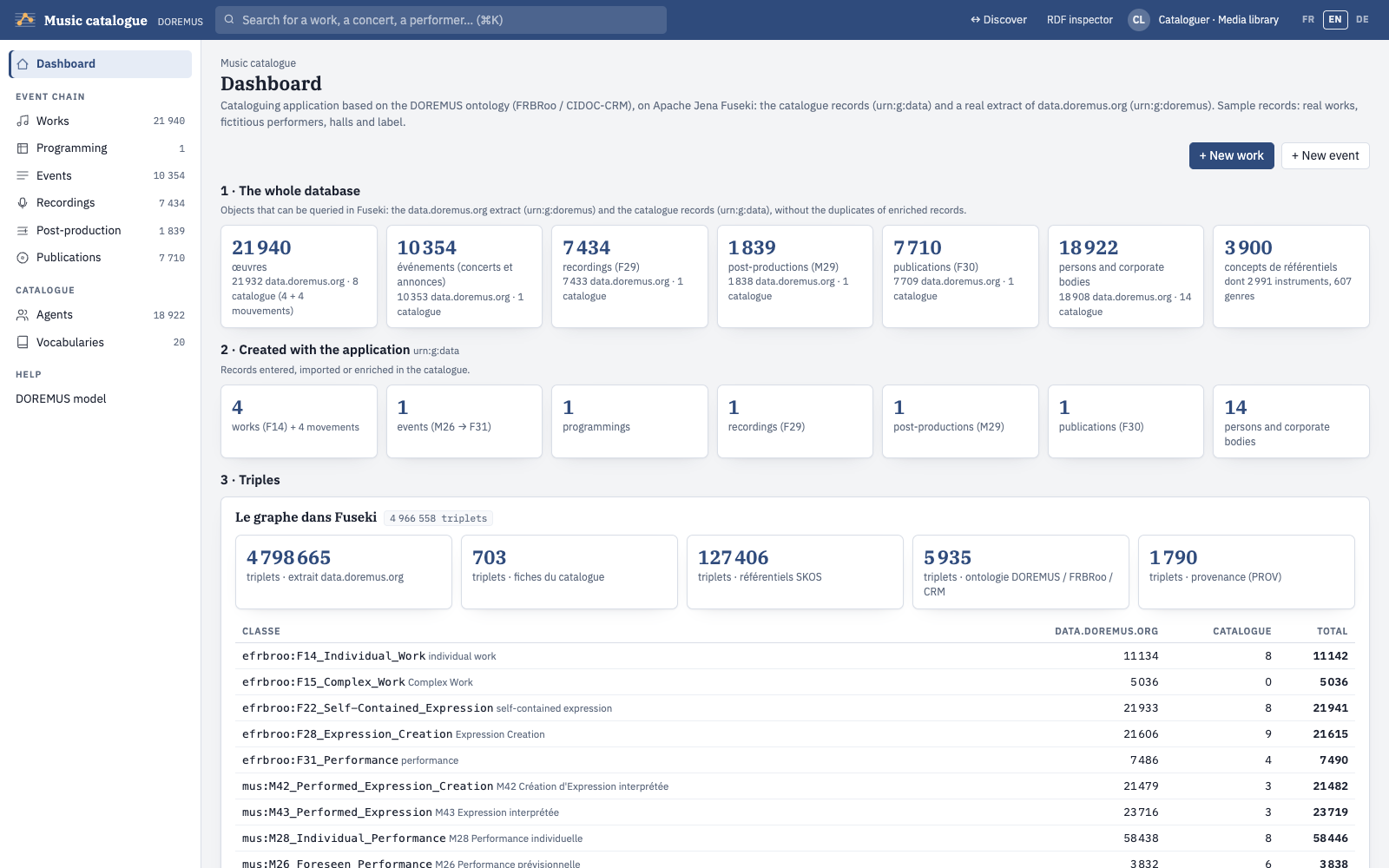
Counts for the whole database and for what was created with the application, the chain of the musical event (each step is an FRBRoo triad: an event creates a work and its expression; what is planned is distinct from what happened) and a list of things to do.
Editing a record
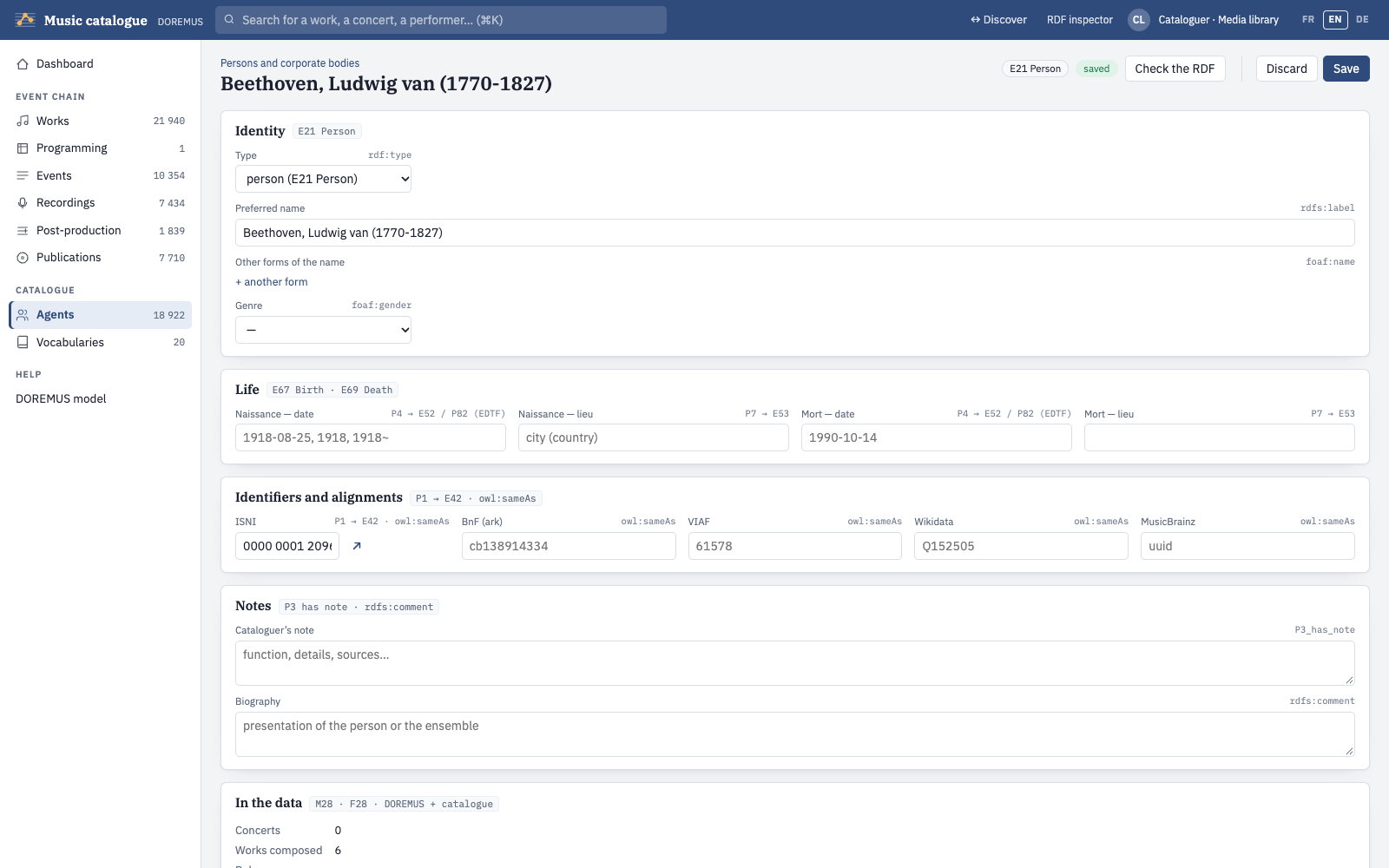
Every record has the same buttons at the top right:
| Button | What it does |
|---|---|
| Check the RDF | Checks the record against the rules of the DOREMUS model (SHACL shapes) and shows the report and the RDF on the right. Nothing is saved. |
| Discard | Discards the unsaved changes: the record goes back to its last saved version. A record never saved (new, or copied from data.doremus.org) is dropped; the original resource is unchanged. |
| Save | Checks the record, then saves it in the catalogue graph. Refused while errors remain; warnings do not prevent saving. |
Beside the buttons, a status says whether the record is saved, has unsaved changes, or is a new record (or a copy of data.doremus.org) not saved yet. Leaving the page with unsaved changes asks for confirmation. The RDF inspector (top bar) shows, at all times, the RDF graph of the record as the API generates it, and the SHACL report: errors in red, warnings in orange.
Fields that take a value from a vocabulary (key, genre, instrument, function…) propose the concepts as you type; agents and places are chosen in the same way, and a new one can be created on the spot.
Works
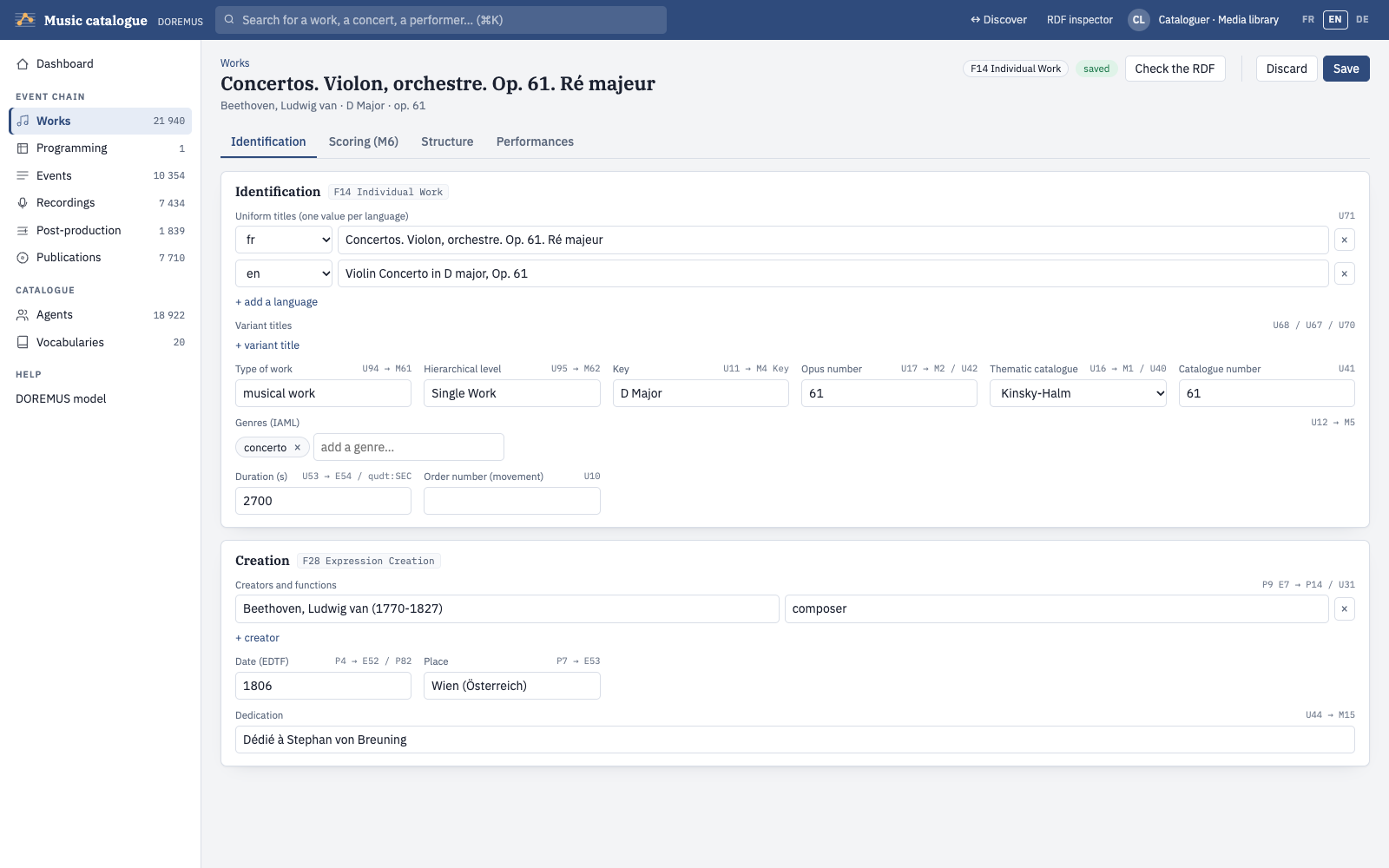
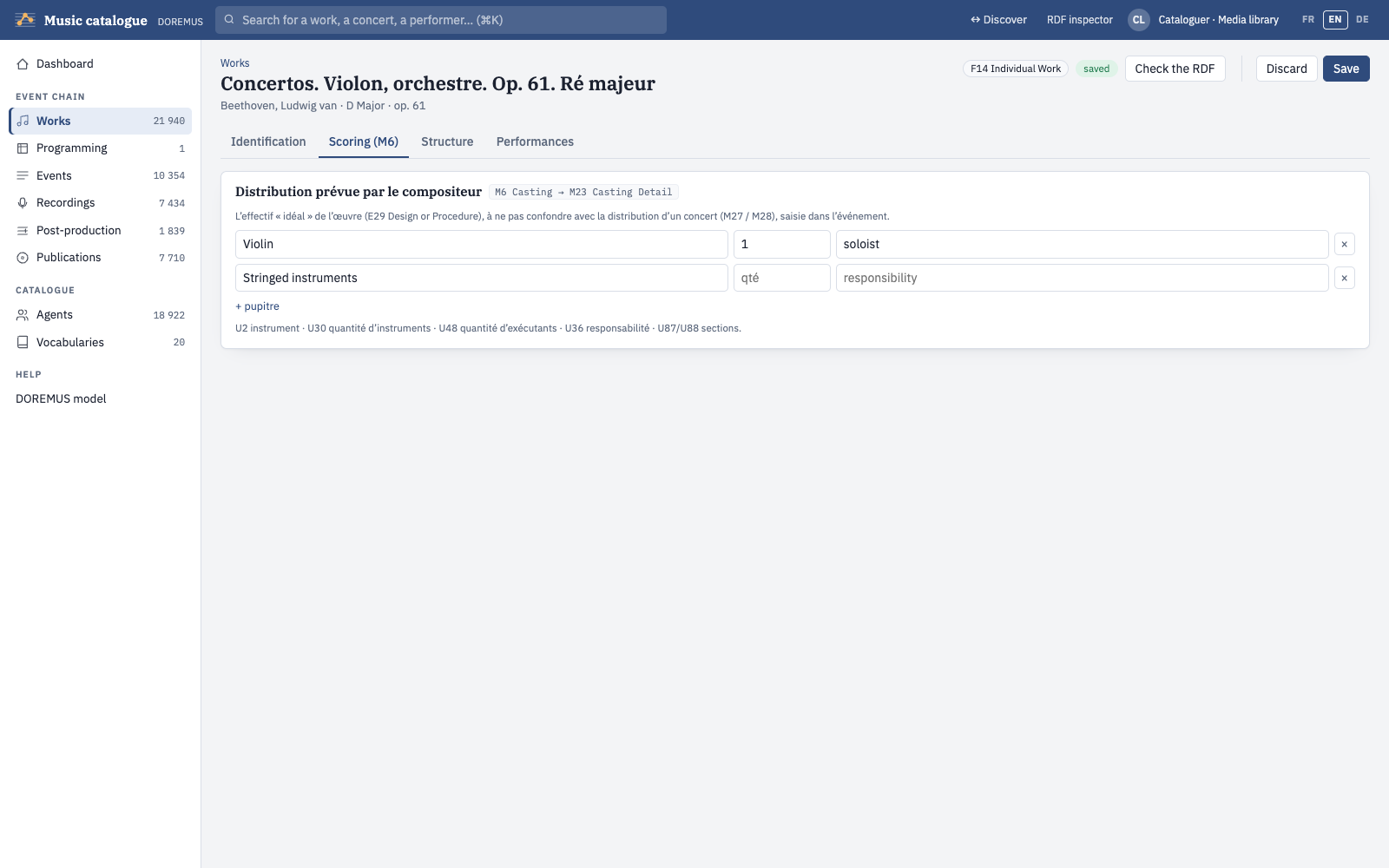
A work record (F14 realised by F22) has four tabs. Identification: uniform titles, one per language, variant titles, type and level, key, opus and thematic catalogue number, genres, duration, creation (composer and other creators with their function, date in EDTF, place), dedication. Scoring (M6): the parts planned by the composer, each with its instrument or voice and number. Structure: the movements. Performances: the events where the work was played.
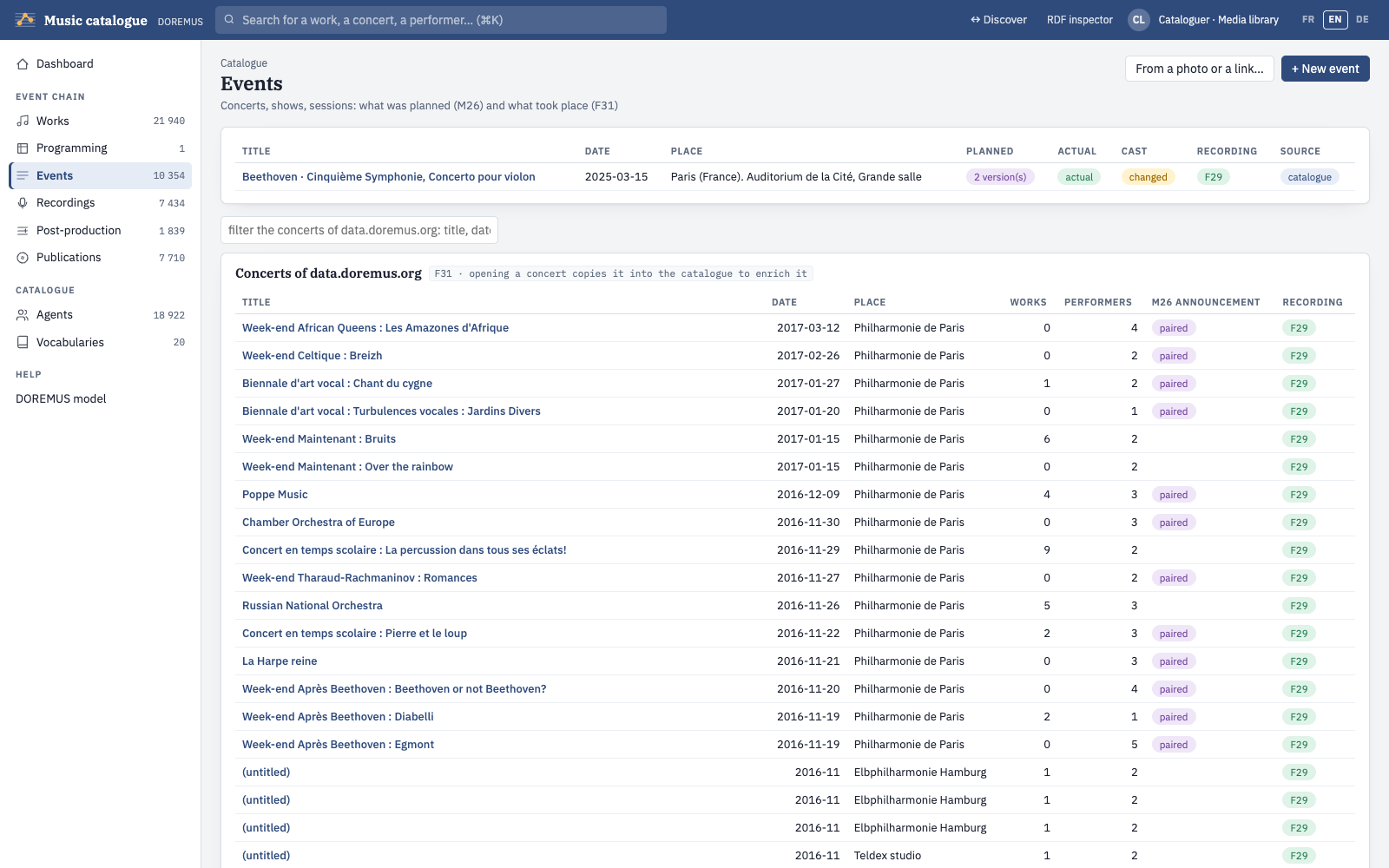
Events
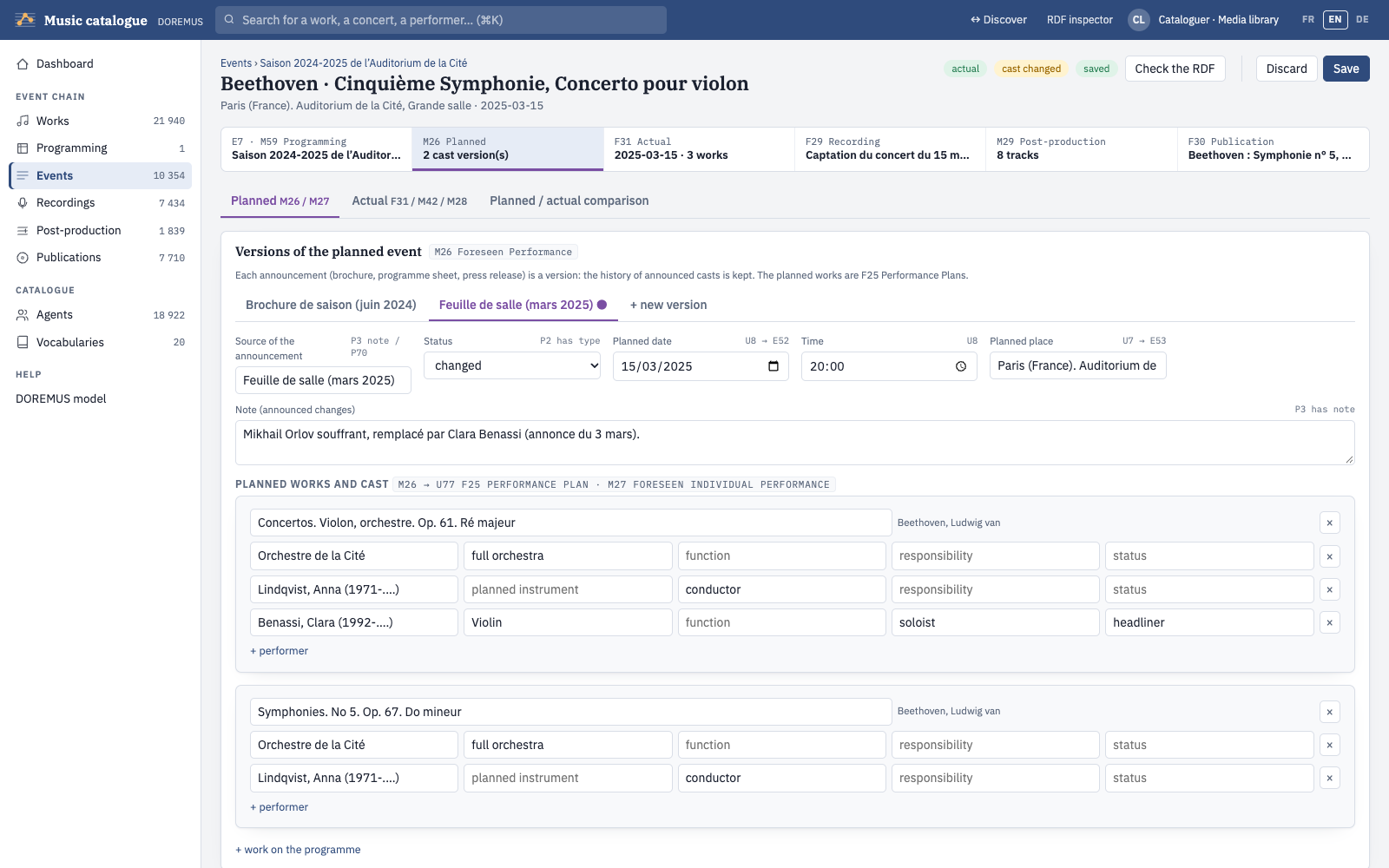
An event separates what was planned (M26, one version per announcement: brochure, programme sheet, press release) from what actually happened (F31). The chain at the top links the event to its programming, recording, post-production and publication.
- Planned: source, status (planned, changed, cancelled, postponed), date, time, place, the works planned and their cast (M27). + new version copies the last announcement to record a change.
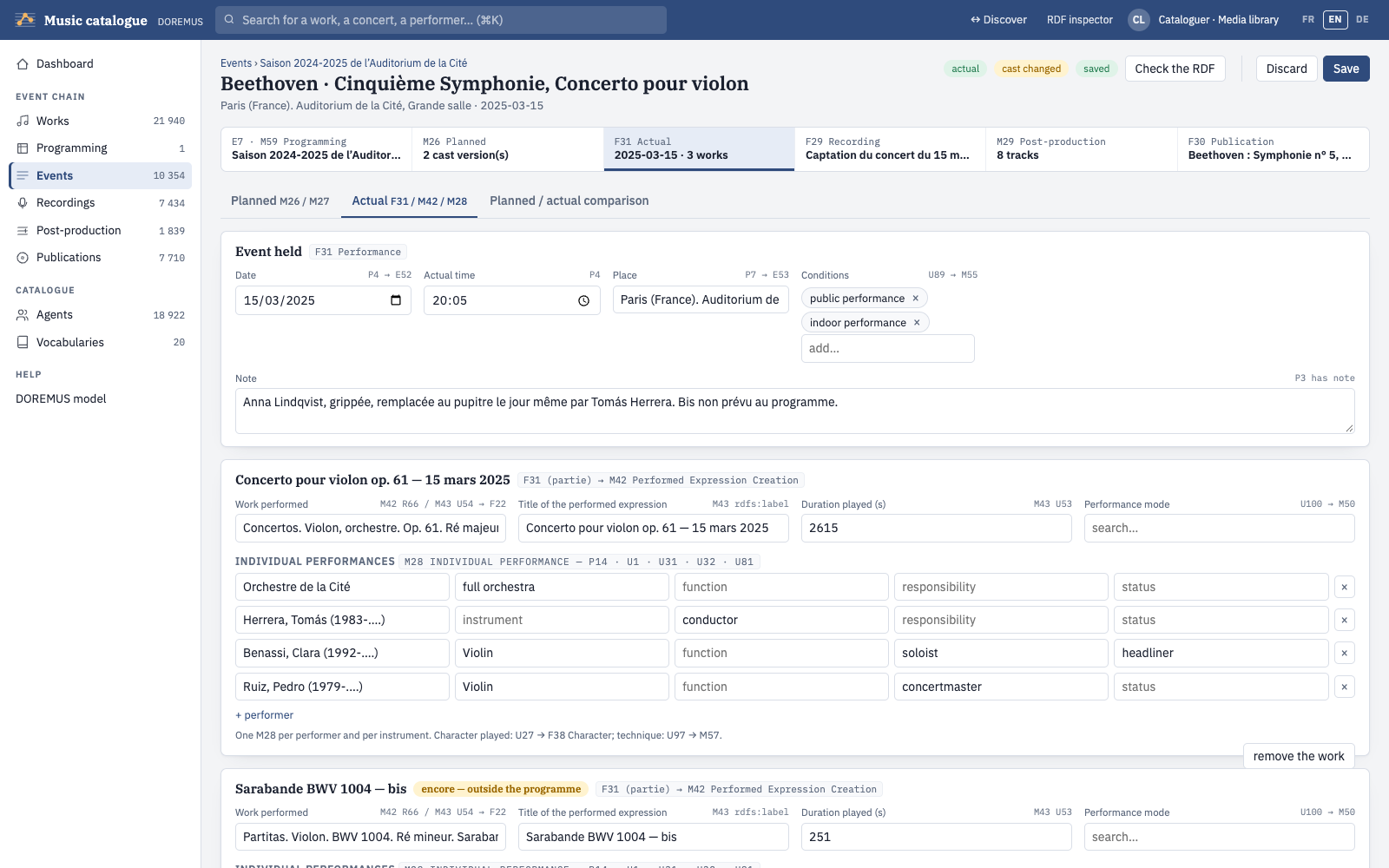
- Actual: actual date and time, place, conditions, then each work played with its duration, mode and the individual performances (M28: performer, instrument, function, responsibility, status). Encores are works outside the programme.
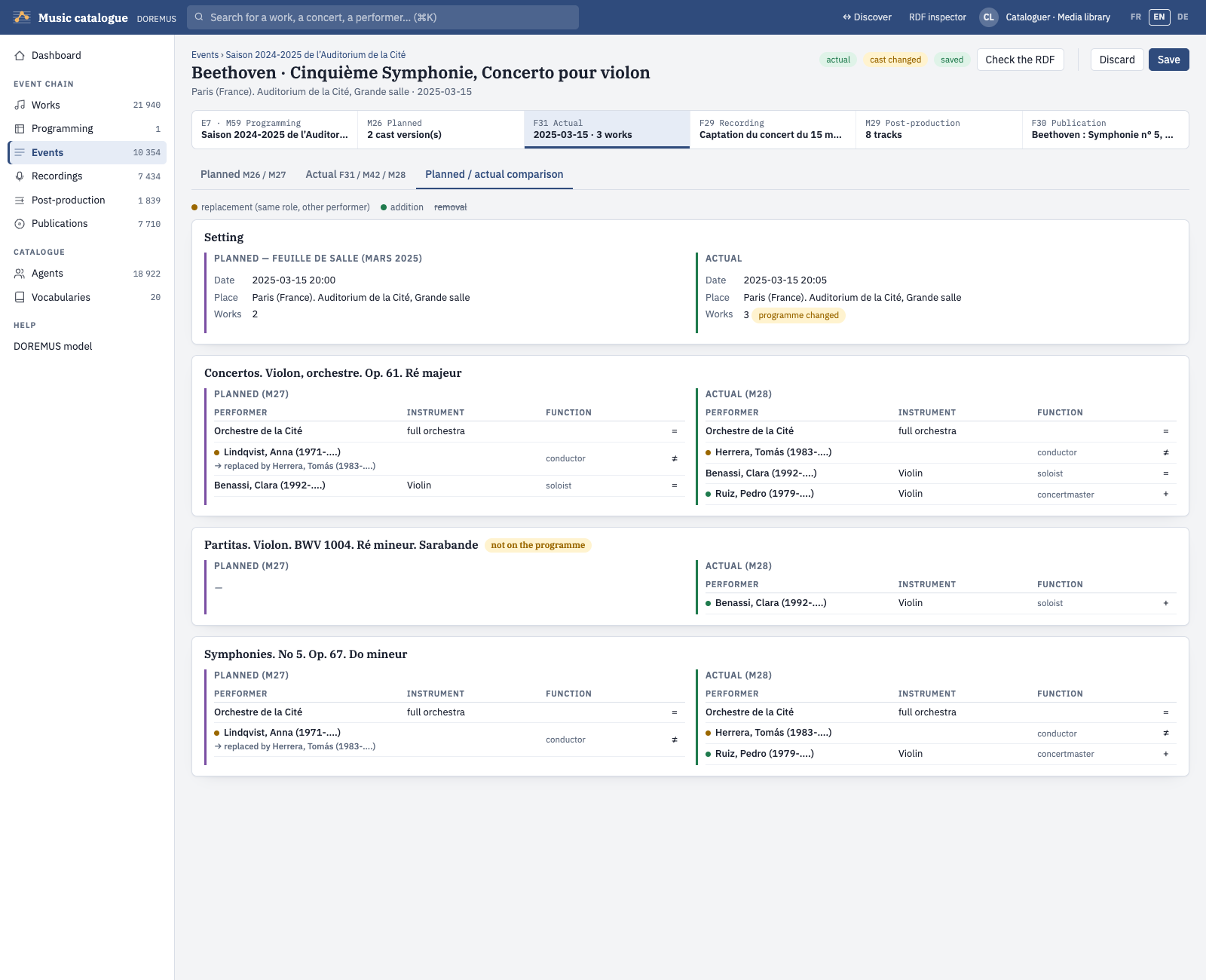
- Planned / actual comparison: replacements (same role, another performer), additions and removals, side by side.
A concert of data.doremus.org opens as a pre-filled event card (planned and actual), ready to be enriched and saved.
Programming
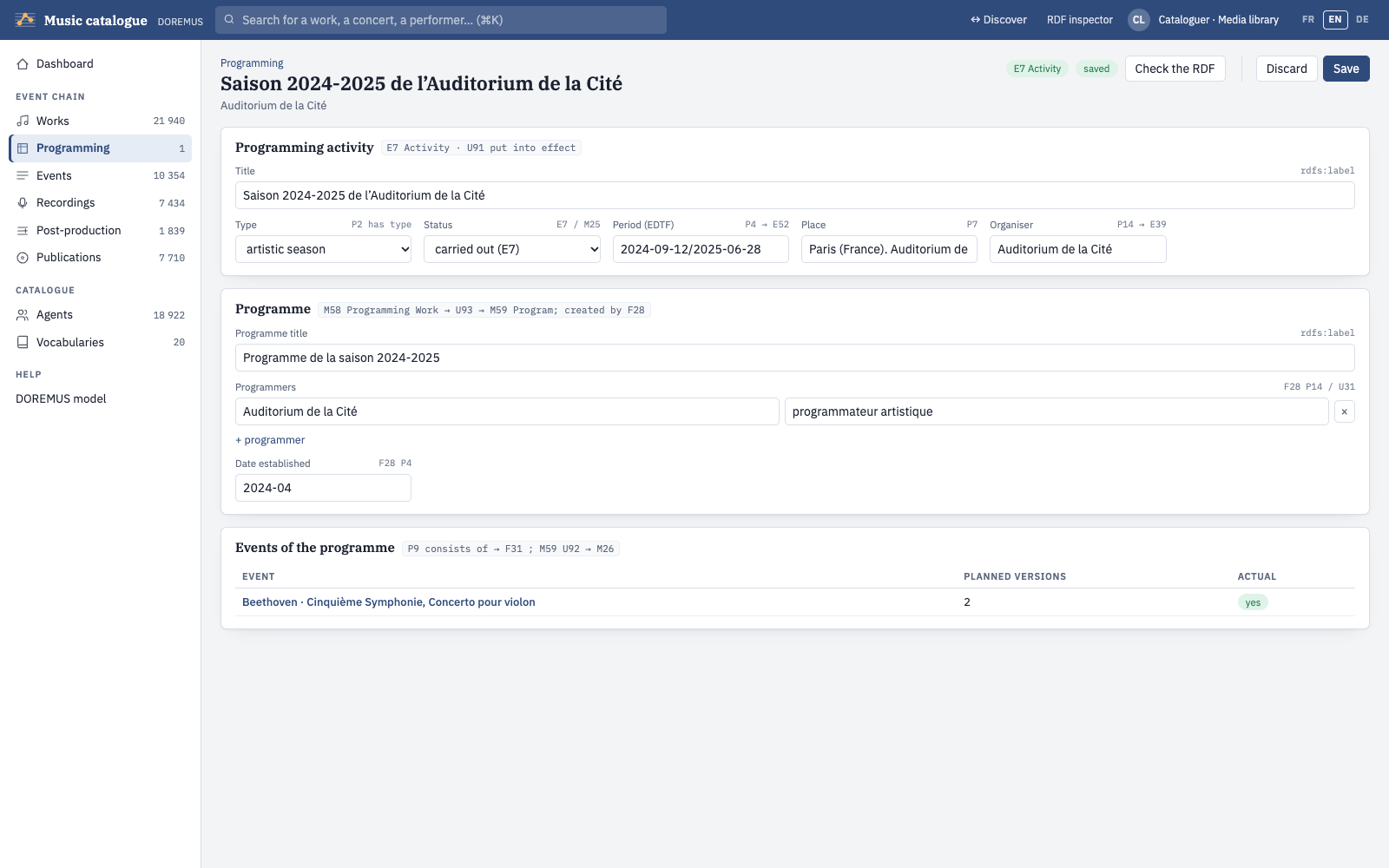
Seasons, festivals, series and tours: a programming activity (E7, or M25 when it is only planned) puts a programme (M59) into effect; the programme lists its events.
Recordings
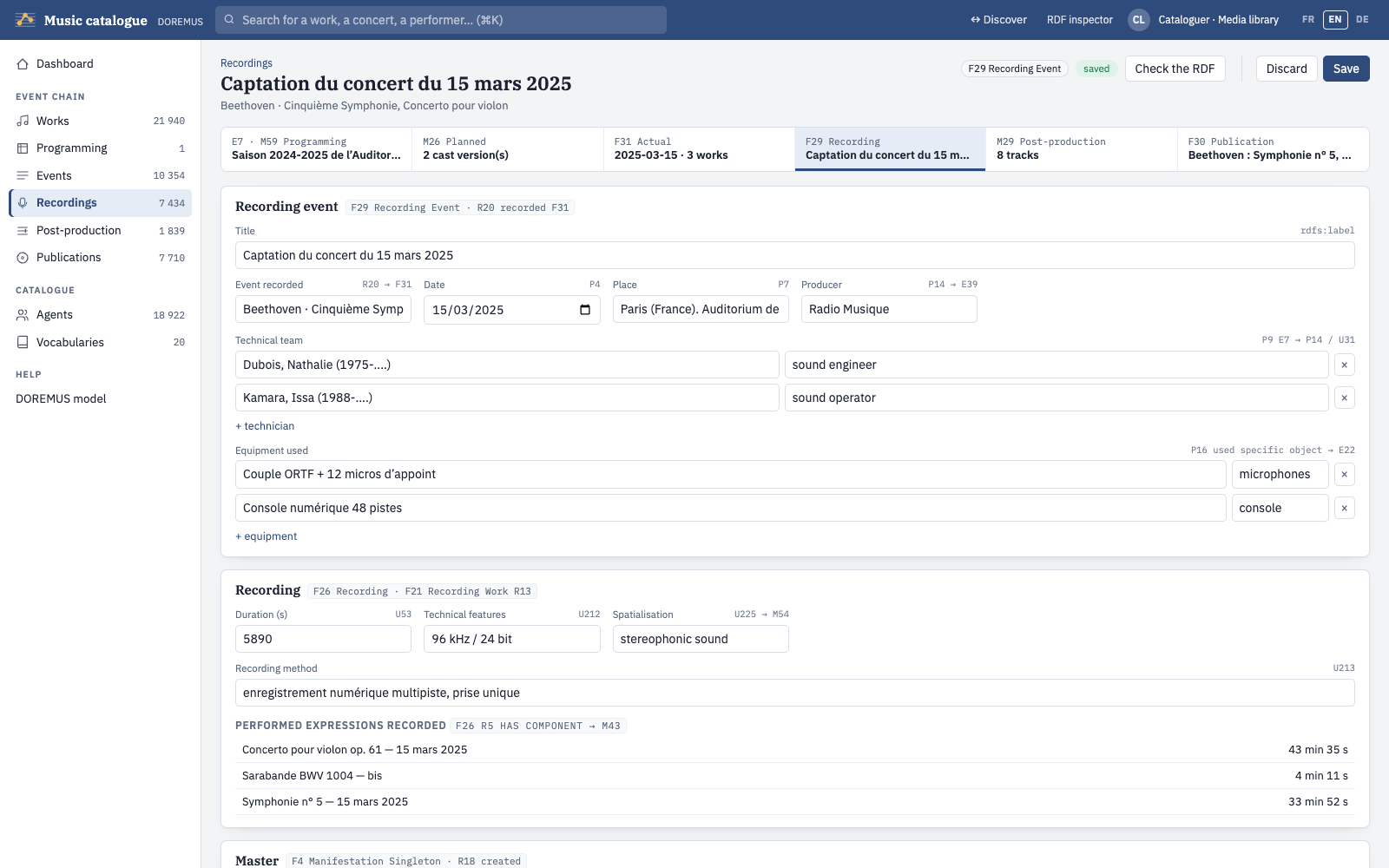
A recording event (F29) records a concert (F31) and creates a recording (F26) and its master (F4): producer, technical team, equipment, duration, technical features, spatialisation, carrier of the master. A recording of data.doremus.org opens as a pre-filled recording card, with the recorded concert, the producer and the place cited by their IRI.
Post-production
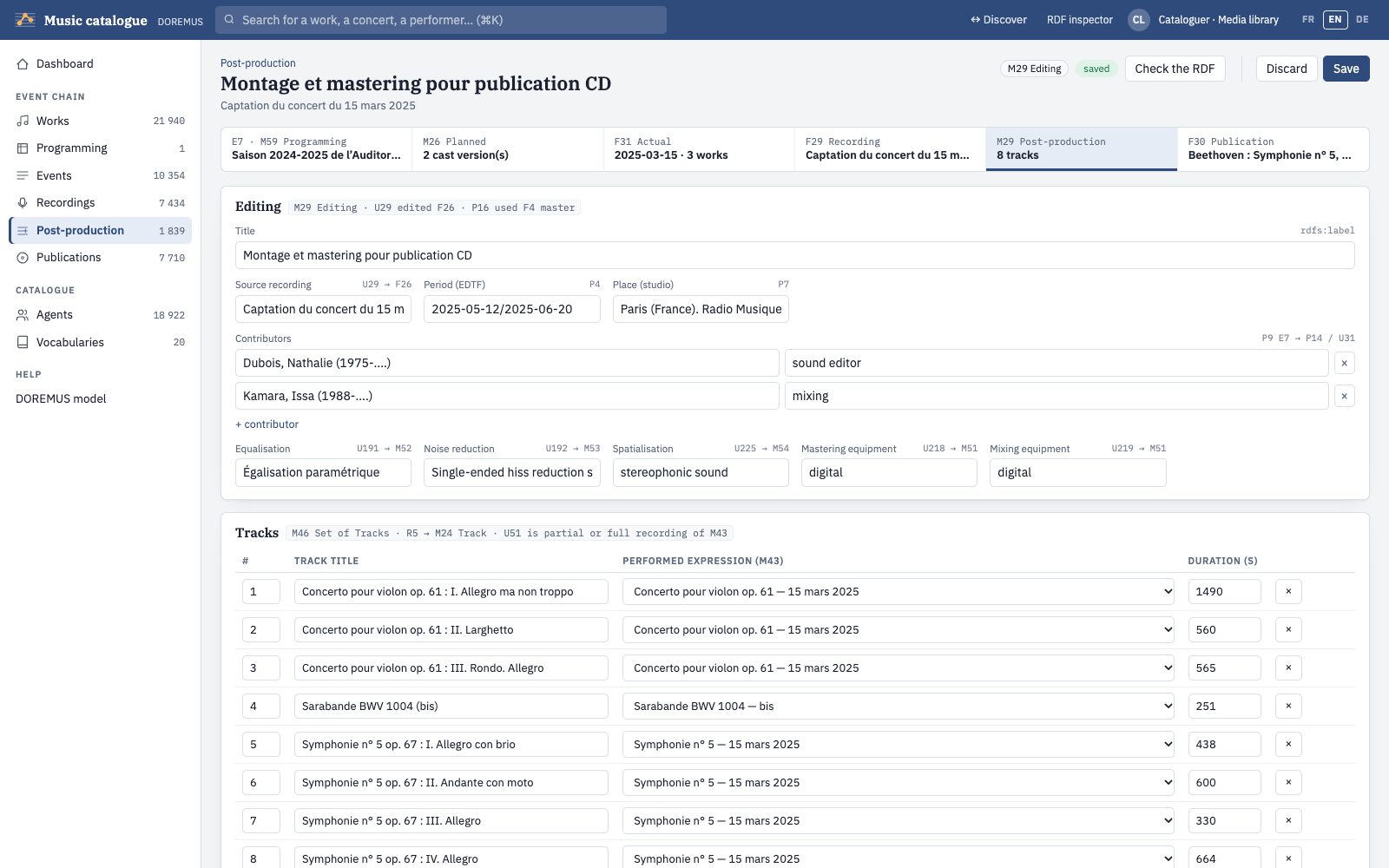
An editing (M29) edits a recording and creates a set of tracks (M46): contributors, equalisation, noise reduction, spatialisation, mastering and mixing equipment, and the tracks with their order, title, duration and the performed work each one records.
Publications
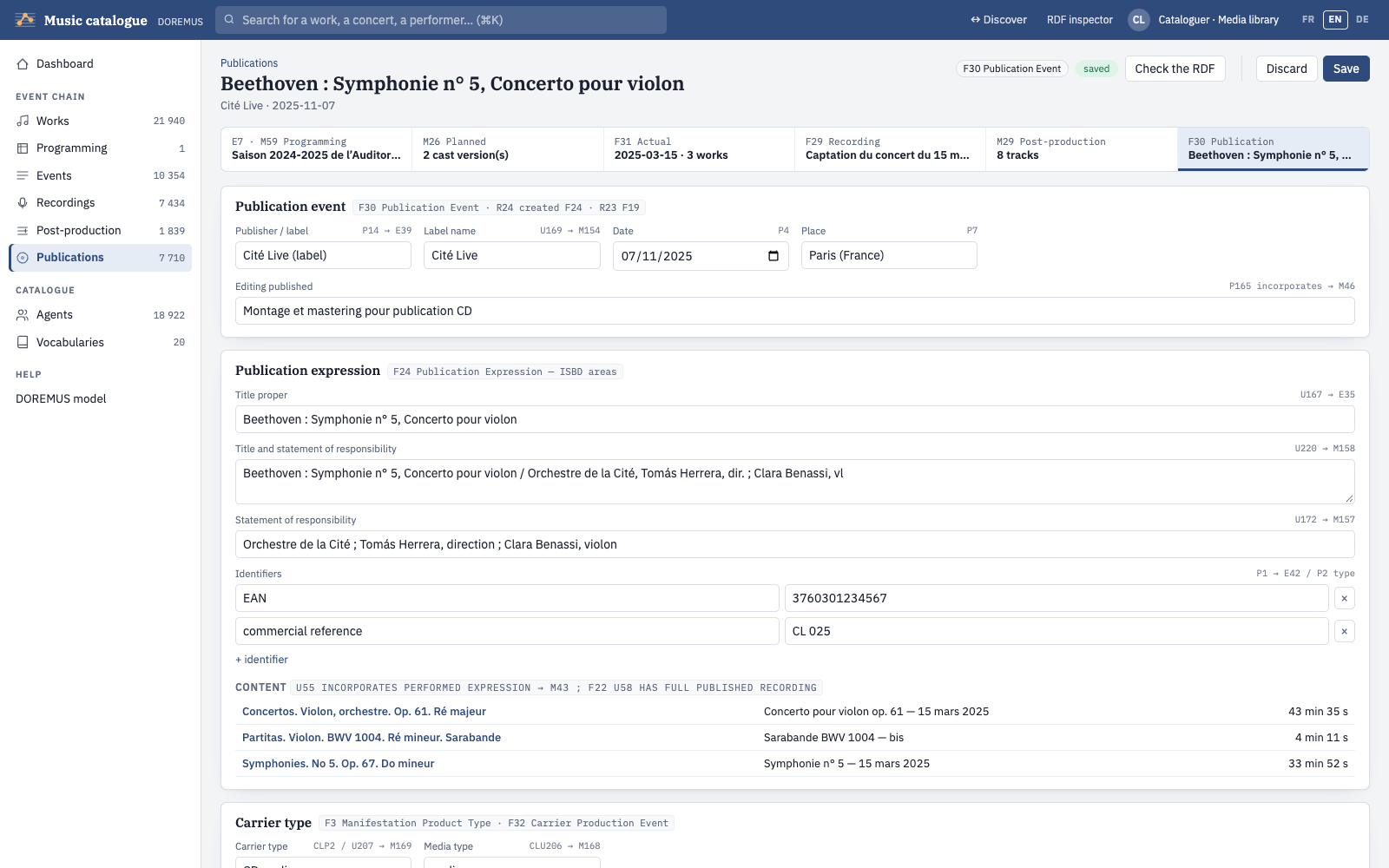
A publication event (F30) creates a publication expression (F24) carried by a product type (F3) and its copies (F5): label, date, title proper and statements of responsibility (ISBD areas), identifiers such as the EAN, carrier, extent, duration, and the copies with their shelfmark, holder and status.
Agents
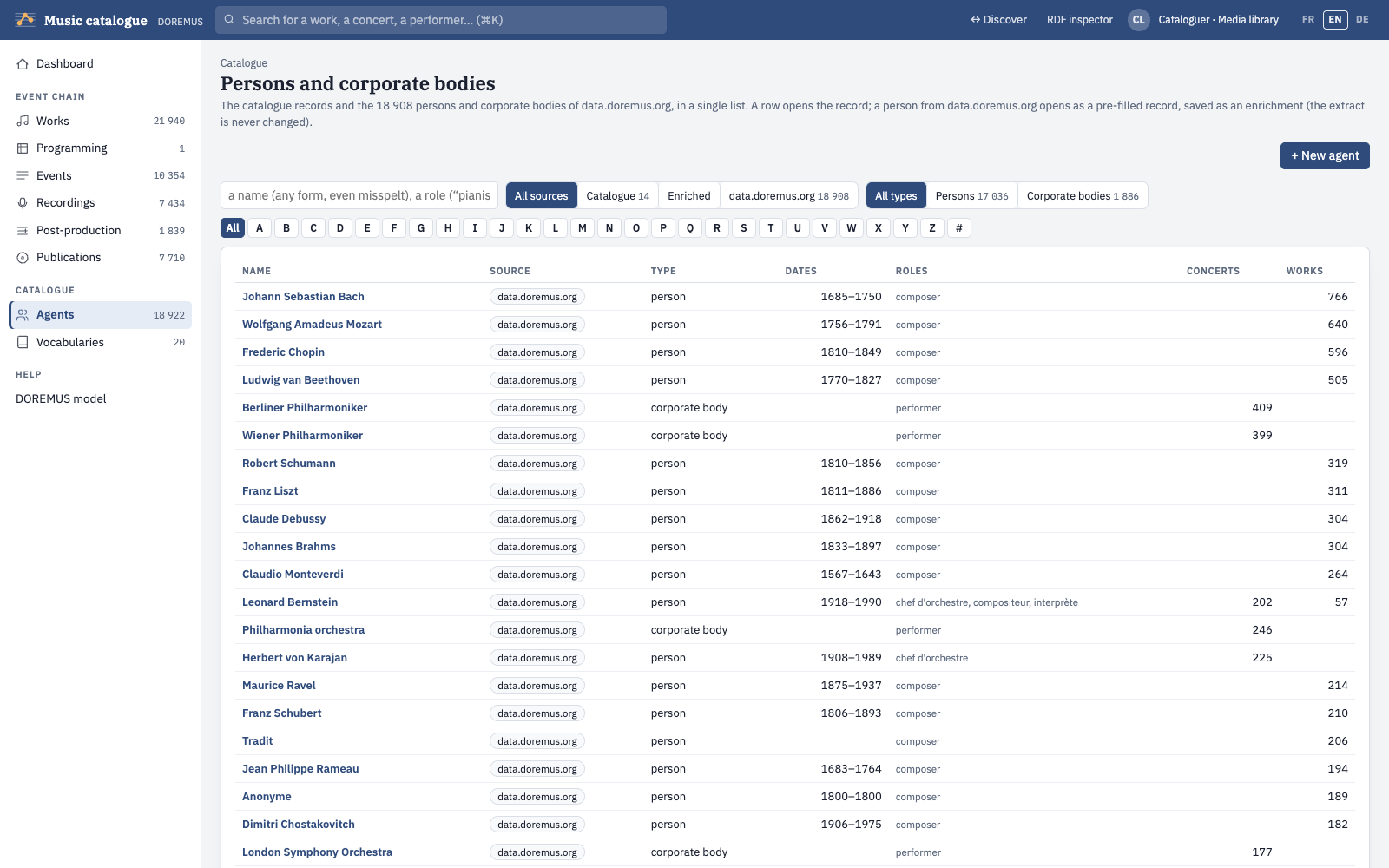
One list for the catalogue records and the persons and corporate bodies of data.doremus.org, searchable by any form of the name, by role and by A–Z index. A record describes a person (E21), a group (E74) or a corporate body (F11): preferred name in the BnF form, other forms, gender, birth and death (date in EDTF, place), identifiers and alignments (ISNI, BnF, VIAF, Wikidata, MusicBrainz), cataloguer's note and biography. A person of data.doremus.org opens as a pre-filled record and is saved as an enrichment.
Vocabularies
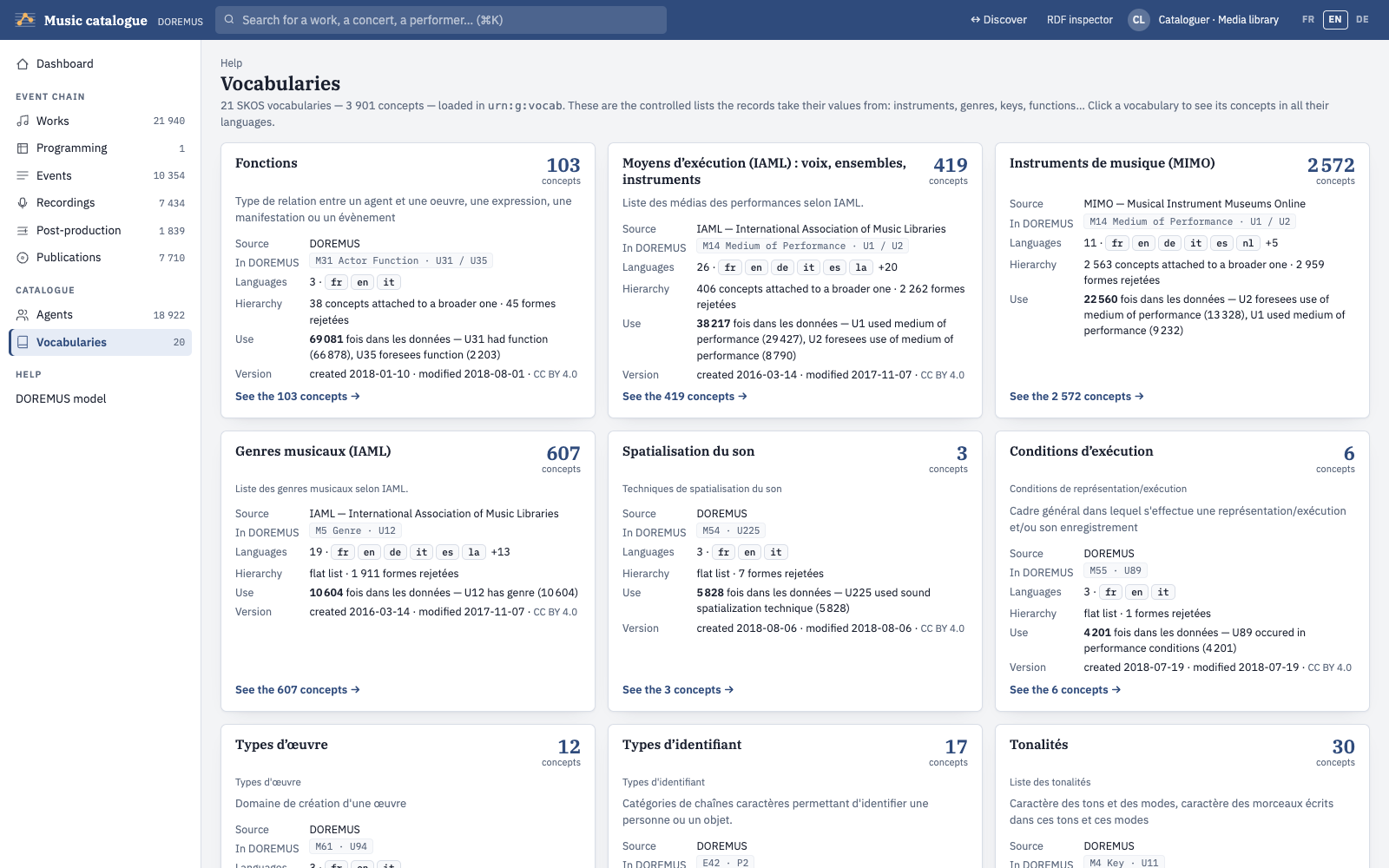
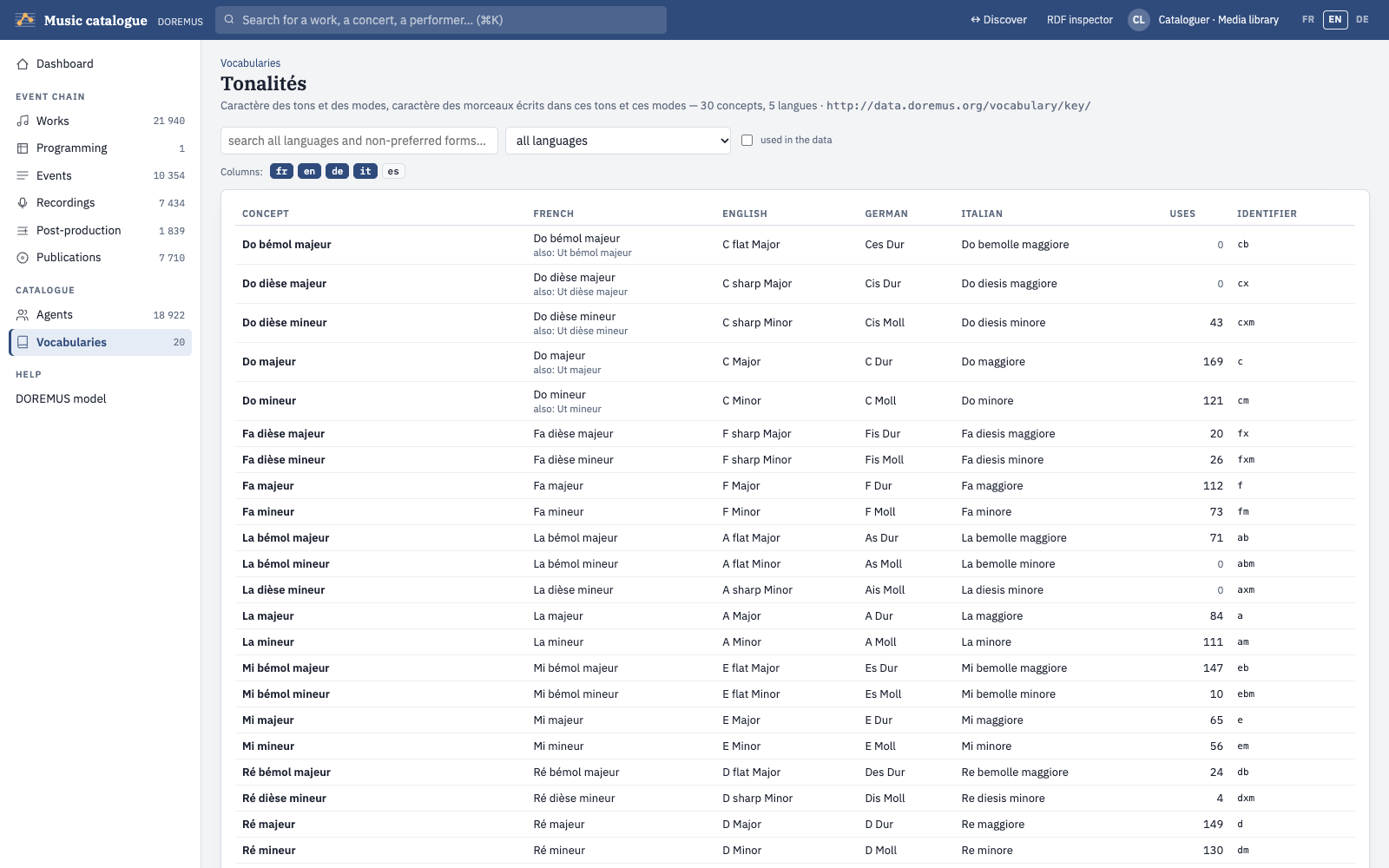
The SKOS vocabularies the records take their values from: instruments (MIMO and IAML), genres, keys, functions… The first page lists them with their source, languages, hierarchy and how much the data uses them; a vocabulary opens on its concepts in every language, in hierarchical order, with a search across all languages and non-preferred forms.
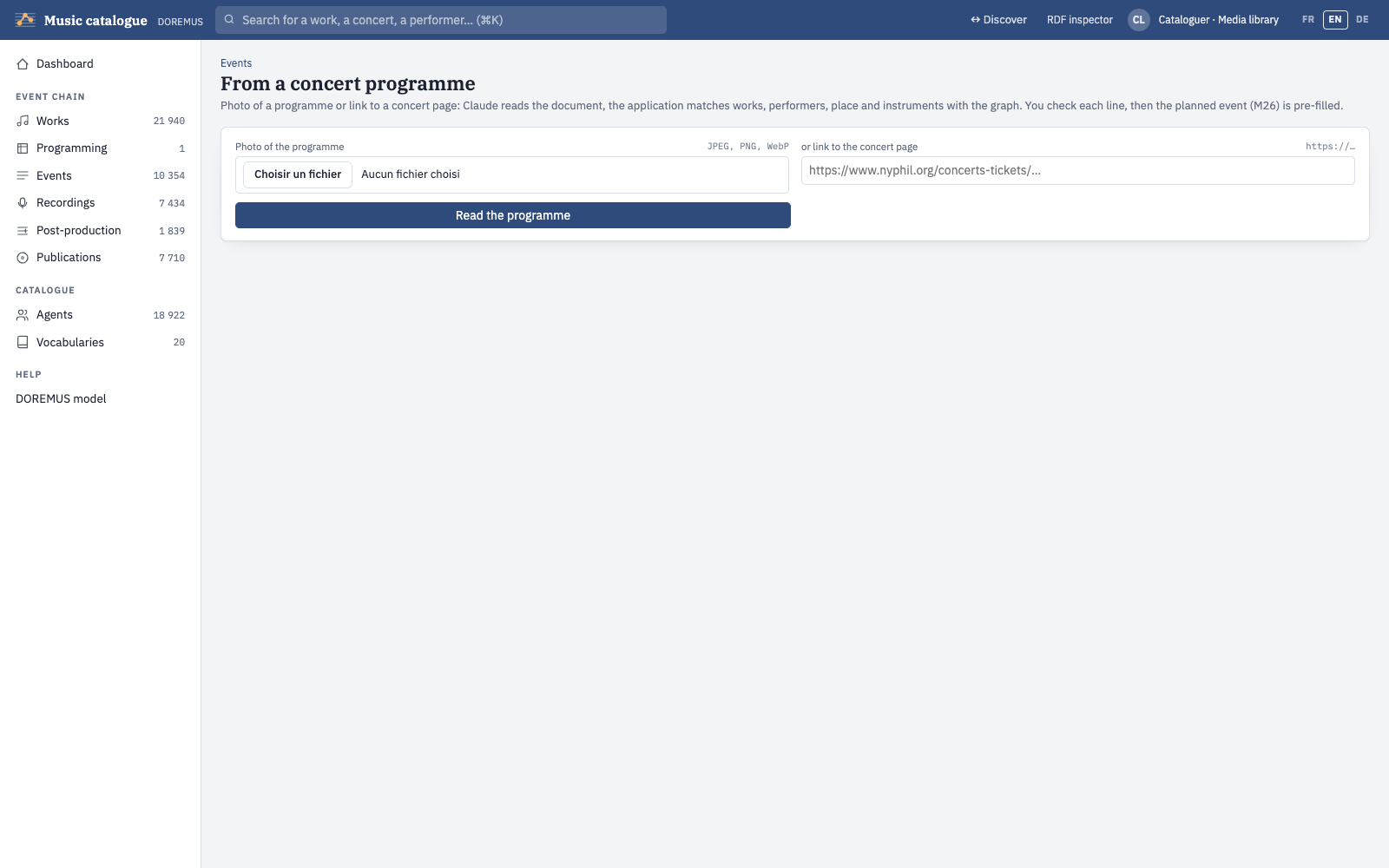
From a concert programme
Give a photo of a concert programme (JPEG, PNG, WebP) or a link to a concert page: Claude reads the document, and the application matches the works, performers, place and instruments with the graph. You check each line — choose a candidate or create a new record — then the planned event (M26) is pre-filled.
DOREMUS model
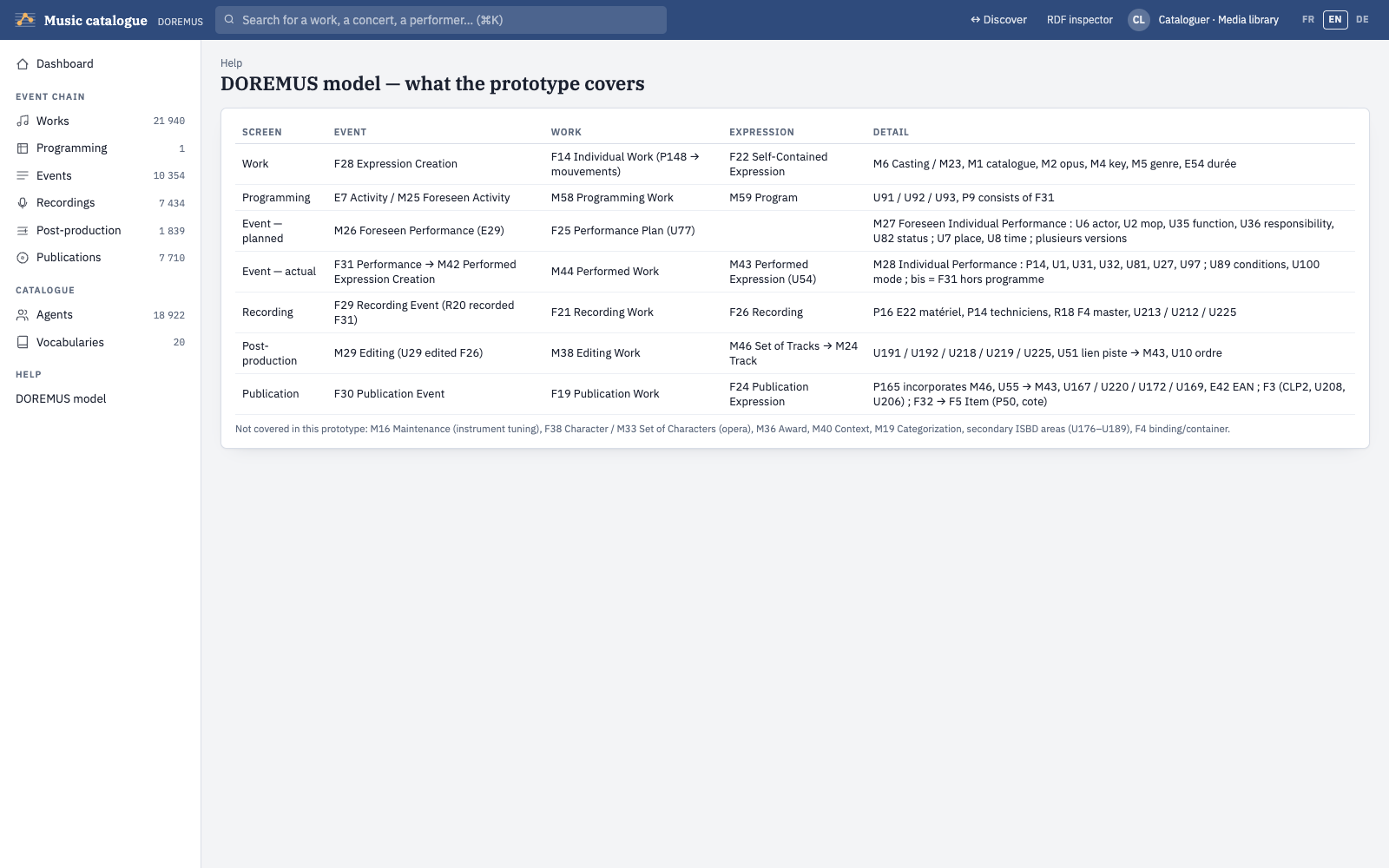
The Help section of the menu has a page that maps each screen to the classes and properties of the model, and lists what the prototype does not cover.
Data and sources
| Graph | Content |
|---|---|
urn:g:doremus | Extract of data.doremus.org: the most performed works and their performances, Philharmonie concerts, all announcements (M26), plus a jazz extract and a French chanson extract, with their concerts and recordings. Changed only by documented loading steps (genre harmonisation, instrument values, ISNI URIs). |
urn:g:data | Records created or enriched in the catalogue. |
urn:g:vocab, urn:g:vocab-local | SKOS vocabularies, and local concepts added from the catalogue. |
urn:g:align | ISNI alignments of persons (ISNI SRU API: name, then dates or years of musical activity). |
urn:g:wikidata | Wikidata alignments: persons with a BnF record by their BnF identifier, the others by name with the same rules as for ISNI. Adds Wikidata, ISNI, VIAF, MusicBrainz and BnF links, French and English Wikipedia pages and missing life years. Disagreements are not written but listed for review. |
urn:g:instruments | What the web knows about the instruments, by MIMO number: Wikidata (picture, sound, Hornbostel-Sachs number), Commons (author and licence of each file), Wikipedia introductions (fr, en, de), Hornbostel-Sachs names (MIMO vocabulary service), museum objects of MIMO on Europeana. |
urn:g:biblio | The bibliography the users chose to keep (Bibliography section): documents « about » a work, a person, an ensemble or an instrument (E73, or F24 for an edition, P129 is about), with their original record and digital version, and the number of publications per year. Read again by make biblio-refresh. The rest of the bibliography is read live from the BnF, IdRef / SUDOC, Wikidata, the DNB, the Library of Congress and OpenAlex, and kept a week in a cache, not in the store. |
urn:g:same-agents | Composers that data.doremus.org has several times under names differing only by capitals, accents or hyphens (« Antonio VIVALDI » / « Antonio Vivaldi »), with dates that agree: each duplicate owl:sameAs the agent kept (make dedup-agents). Discovery shows one person with all the works and concerts; the data of data.doremus.org are not changed. |
urn:g:prov | Provenance (PROV) of every save and every loading step. |
Administration
On the server, from the application folder (commands of the Makefile):
make up              # start Fuseki
make dev             # start the application (port 8000)
make load-doremus    # reload the data.doremus.org extracts and their loading steps
make import-jazz     # fetch and add the jazz extract
make import-chanson  # fetch and add the French chanson extract
make import-works    # fetch and add every work not yet loaded (no performances; about 22 hours)
make isni            # align persons with ISNI
make wikidata        # align persons with Wikidata
make instruments     # collect pictures, sounds, Wikipedia and museum objects for the instruments
make biblio-refresh  # read again from the catalogues the bibliography kept in urn:g:biblio
make test            # run the tests
The questions and the generated texts use the Anthropic API: set ANTHROPIC_API_KEY in the .env
file. Without it, the rest of the application works and text generation falls back on the template.
Model codes
The codes shown beside headings (when « model codes » is ticked) and in the catalogue are those of FRBRoo (F, R), CIDOC-CRM (E, P) and DOREMUS (M, U).
| Code | Meaning |
|---|---|
F14 / F22 | Individual work / its self-contained expression (titles, key, genre, scoring) |
F28 | Expression creation: composer, date and place of composition |
M6 → M23 | Casting planned by the composer → casting detail (one part) |
M26 / M27 | Foreseen performance (an announced concert) / foreseen individual performance |
F31 / M28 | Performance (a concert, or a work in it) / individual performance (a performer, an instrument, a role) |
M42 → M43 | Performed expression creation → performed expression (the work as played) |
F29 → F26, F4 | Recording event → recording, master |
M29 → M46, M24 | Editing → set of tracks, track |
F30 → F24, F3, F5 | Publication event → publication expression, product type, item |
E7 / M25, M59 | Programming activity (actual / planned), programme |
E21 / E74 / F11 | Person / group / corporate body |
E52 / E53 | Time-span / place |
Technical architecture
The application is two programs: a triple store that holds every piece of data, and one Python process that serves the API and the web pages. There is no other database: the records of the catalogue, their editing state, the vocabularies, the ontologies and the provenance are all RDF in the triple store.
Discover music
explore.html · read-only services, questions, RDF view
Music catalogue
app.html · records, RDF inspector, validation report
User guide
guide/index.html · this document
/api/…), streamed answers for questionsApplication server · FastAPI (Python 3.12)
Read services and discovery index, conversion of records to RDF, SHACL validation, provenance, calls to Claude
Anthropic API
Claude: questions, text generation, reading of concert programmes
Apache Jena Fuseki 5.6.0
TDB2 store, one named graph per source, default graph = union of the graphs, Lucene full-text index
Loading only
data.doremus.org SPARQL endpoint, ISNI SRU API, Wikidata
The external services in dashed boxes are not needed to browse or catalogue: the data.doremus.org extract and the alignments are loaded once into the store; only questions, generated texts and programme reading call the Anthropic API.
Technology stack
| Layer | Technology | Role |
|---|---|---|
| Triple store | Apache Jena Fuseki 5.6.0 (Java 21), TDB2 | Stores all the RDF in named graphs; SPARQL 1.1 Query, Update and Graph Store Protocol. Built from fuseki/Dockerfile and run with Docker Compose, reachable from the machine only. |
| Full-text search | Jena text + Apache Lucene | Index of rdfs:label, skos:prefLabel / altLabel, uniform titles (U71), titles (P102) and subtitles (U67), insensitive to accents and case; queried in SPARQL with text:query. |
| Application server | Python 3.12, FastAPI 0.156, Uvicorn 0.54 | One process for the REST API and the static pages. |
| RDF and validation | rdflib 7.6, pySHACL 0.40 | Builds the RDF of each record and validates it against the SHACL shapes before it is saved. |
| HTTP client | httpx 0.28 | Calls to Fuseki, to data.doremus.org and to the alignment sources. |
| Language model | Anthropic Python SDK 1.16, Claude Opus 5.5 | Questions in plain language (tools: full-text search, read-only SPARQL, bibliography), generated texts, reading of concert programmes. Optional: set ANTHROPIC_API_KEY. |
| Web pages | HTML, CSS and plain JavaScript | No framework and no build step; French, English and German interface; light and dark themes. |
| Tooling | uv, Docker Compose, Make, pytest | Python environment, the store's container, the commands of the Administration chapter, the automated tests. |
Ontologies
The ontologies are loaded in urn:g:ontology (folder ontology/); the catalogue writes RDF that respects
their domains and ranges.
| Ontology | Prefix | File and version | Used for |
|---|---|---|---|
| CIDOC-CRM, Erlangen OWL version (ECRM) | ecrm: | crm.rdf, CIDOC-CRM 6.2.1 | Events, actors (E21, E74), time-spans (E52), places (E53), titles, identifiers |
| FRBRoo, Erlangen OWL version (EFRBRoo) | efrbroo: | frbroo.owl, EFRBRoo 121016 / FRBRoo 1.0.2 | Works and expressions (F14, F22, F28), performances (F31), recordings (F29, F26), publications (F30, F24, F5) |
| DOREMUS ontology | mus: | doremus.ttl, modified March 2024 | The music extension: casting (M6, M23), foreseen performances (M26, M27), individual performances (M28), editing and tracks (M29, M46, M24), programming (M59), keys, genres, opus and catalogue statements |
| SKOS | skos: | W3C | The controlled vocabularies and their hierarchies (skos:broader) |
| PROV-O | prov: | W3C | Provenance of every save, deletion and loading step |
| Dublin Core terms, BIBO | dcterms:, bibo: | DCMI, Bibliographic Ontology | The bibliography kept in urn:g:biblio: title, creator, date, publisher, language, type; ISBN and DOI |
| OWL-Time | time: | W3C | Dates of data.doremus.org (time:hasBeginning, time:inXSDDate) |
| OWL | owl: | W3C | owl:sameAs between an enriched record and the data.doremus.org original |
| Schema.org, GeoNames, WGS84 | schema:, gn:, geo: | as used by data.doremus.org | Birth and death dates of persons; cities and coordinates of places |
Vocabularies and shapes
- Vocabularies (
vocabularies/, graphurn:g:vocab): the 23 SKOS vocabularies of the DOREMUS project, among them instruments MIMO and IAML, genres IAML, keys, modes, functions, responsibilities, performance conditions, carriers and identifiers. Concepts added from the catalogue go tourn:g:vocab-local, each with an example of its use (skos:example: the programme line it was read on), shown on the Vocabularies page; the DOREMUS vocabularies are never modified. At load,skos:topConceptOfis completed withskos:inScheme. - SHACL shapes (
shapes/):work-card.ttl(works, expressions, creation, casting),event-card.ttl(announced and actual concerts),chain-cards.ttl(programming, recording, editing, publication, agents). A violation blocks the save; a warning is saved and shown.
How the data moves
- Reading. Every query is a SPARQL file in
core/doremus_core/sparql/; values are inserted as checked RDF terms, never as raw text. The discovery services work on an index held in memory, in two parts: every work and person of the loaded data, built once per data load and kept on disk so that the server starts in seconds; and the performances, recordings, announcements and catalogue records, rebuilt after each save. - Saving a record. The form is sent as JSON, turned into RDF (rdflib), validated (pySHACL), then written in one SPARQL
Update: the triples to
urn:g:data, the form state tourn:g:cards, a PROV activity tourn:g:prov. - Search in all the text. Besides names and titles, the full-text index has a « text » field fed by every property
that carries text people wrote (fuseki/config.ttl); after a change of that list,
make reindexrebuilds the index from the store (17 s today). One text query per field, joined to the store for the property; passages highlighted by the application. - Questions. Claude receives the question and six tools — search by name, search in all the text, work and person summaries, the RDF of a resource, and read-only SPARQL (SELECT or ASK, row limit, time limit). It writes the queries itself from a description of the real shapes of the data, and its answer cites the IRIs it found.
- Loading. Scripts in
scripts/fetch the data.doremus.org extracts (paged CONSTRUCT queries, at most 50 IRIs per request), align persons with ISNI and Wikidata, and record each step in PROV.
Code layout
| Path | Content |
|---|---|
backoffice/main.py | Application entry point (the back-office): API routes and static pages; the code below is the shared core core/doremus_core/ |
core/doremus_core/store.py, core/doremus_core/sparql/ | Access to Fuseki and the SPARQL queries |
core/doremus_core/corpus.py, services.py, people.py, resource.py | Discovery index, discovery services, people search, generic RDF view |
core/doremus_core/cards.py, records.py, validation.py, importer.py | Catalogue records: RDF conversion, saving, SHACL validation, pre-filled records from data.doremus.org |
core/doremus_core/vocab.py, vocabularies.py | Controlled vocabularies |
core/doremus_core/chat.py, textgen.py, programme.py | Features that use Claude |
core/doremus_core/biblio.py, backoffice/web/biblio.js | Bibliography: the catalogues read live (BnF, IdRef / SUDOC, Wikidata, DNB, Library of Congress, OpenAlex), one record per book, exports for Zotero, what is kept in urn:g:biblio |
backoffice/web/, core/doremus_core/i18n/ | The web pages and this guide; the interface translations (shared core) |
ontology/, vocabularies/, shapes/ | Ontologies, SKOS vocabularies, SHACL shapes |
scripts/, fuseki/, tests/ | Loading and alignment scripts, the store's container and configuration, automated tests |
Screenshots taken from the application in English, October 2026.